Export the marked-up plan to scale
Draws the measurements and markup as vectors onto the original plan sheet at its own size, with a scale bar on every calibrated page.
Use a scaled PDF export to share the marked-up drawing for review, estimating coordination or a filed record of the measured scope.
Before you start
Availability: Business plan and above. Enabled business features, role permissions, connected providers and supported devices may add requirements.
Documented roles: Owner, Office. A role name alone does not override the permissions set by your business.
Where to find it: Takeoffs > Export PDF (to scale).
Confirm the selected page, calibration and visible measurements. Decide which annotations belong in the exported record and check the drawing identity before sharing it.
Using this guide in United Kingdom
- Set your business country in Business settings before entering customer addresses or preparing documents. The country selected on the public website does not change an existing business.
- Check the business currency (GBP), time zone and document tax settings. Only enable tax collection if your business is registered and the settings match your requirements. Your customer invoice tax settings are separate from tax on your AllQuote subscription.
- Screenshots use demonstration records. Their sample currency, addresses and tax amounts do not override your business settings.
- Check the drawing units, calibrate against a known dimension and confirm the ledger unit before applying a material rate. An address or website country does not convert a drawing, assembly quantity or supplier rate. For volume, use consistent area and depth units before checking the cubic quantity.
Step by step
- Calibrate each page you want measured, then mark up the plan as usual.
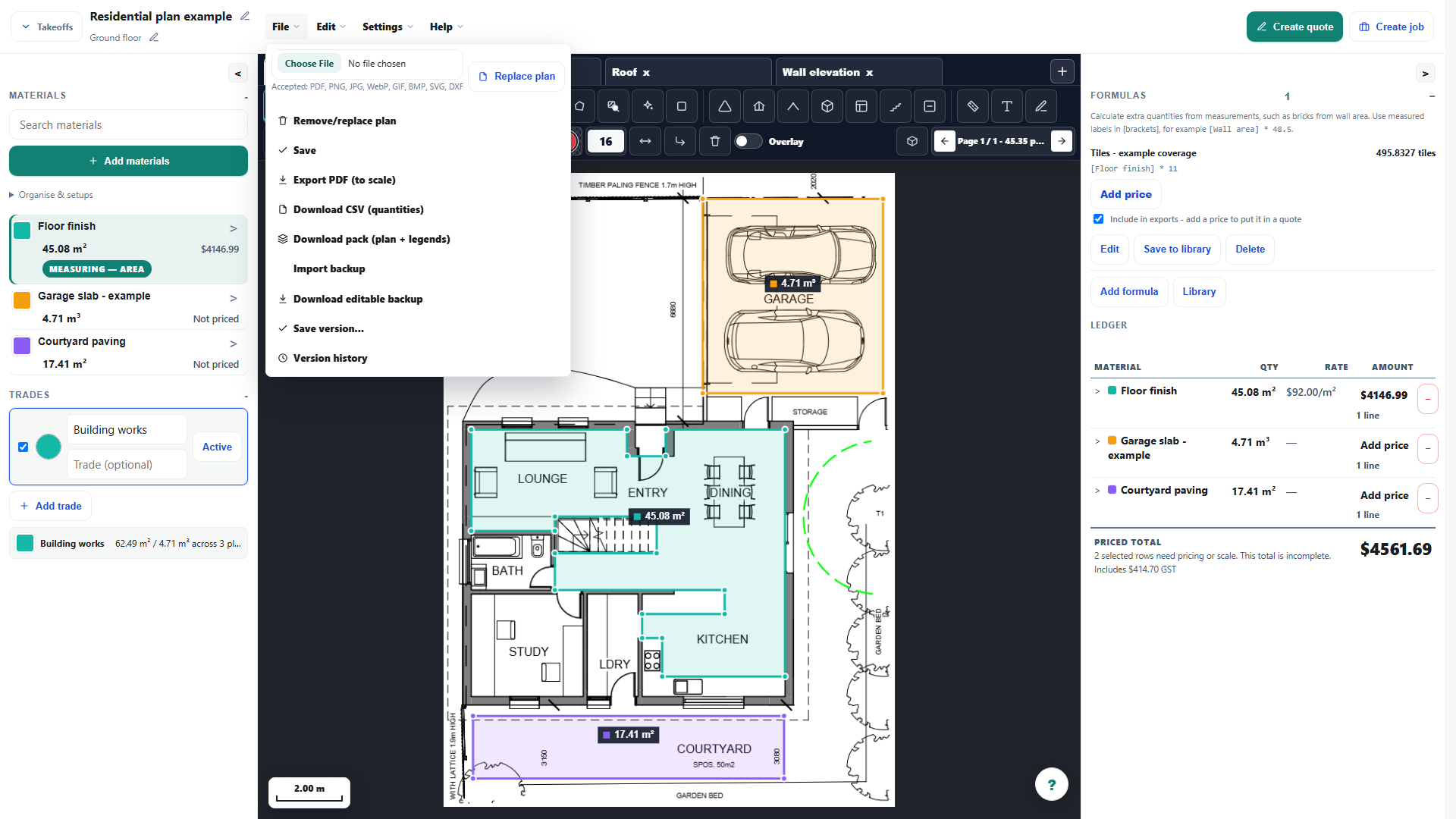
- Choose File, then Export PDF (to scale), and wait for the PDF to download. Only sheets carrying measurements are included.
- Print or plot at 100%, sometimes called Actual size. Fit to page shrinks the sheet, so a scale rule no longer reads true; the drawn scale bar stays correct at any size.
- Check the exported sheets: an uncalibrated page is marked NOT TO SCALE with no scale bar, and an uncalibrated image plan is left out because its real sheet size cannot be worked out.
- A calibrated image plan has no sheet size of its own, so it is placed on a synthesised sheet at a standard ratio, bounded by A0.
Worked example
Export the garage and courtyard takeoff through File > Export PDF (to scale). Open the exported document independently and inspect the measurement labels, page boundaries and drawing readability.
This is an illustrative scenario. Use your own approved scope, quantities, rates and business rules.
Check the result
Check a known dimension in the exported file. For paper use, print at Actual size and verify a physical reference dimension before using the print for measurement.
Limits and troubleshooting
Fit-to-page printing can change scale. Exporting a marked-up drawing does not certify its design, quantities or construction suitability; retain the source revision and review the output.
Open the complete takeoff walkthrough with volume, formula, assembly and overlay examples
Check current plans and feature availability · Browse every guide