Trade job management software for the work after the quote.
Keep the agreed scope, site details, scheduled work and field records connected. AllQuote helps the office organise jobs and review what happened on site before invoicing and checking the result.
For UK contractors and field-service businesses. Tools, limits and connected services vary by plan and provider availability. Check current availability and pricing.
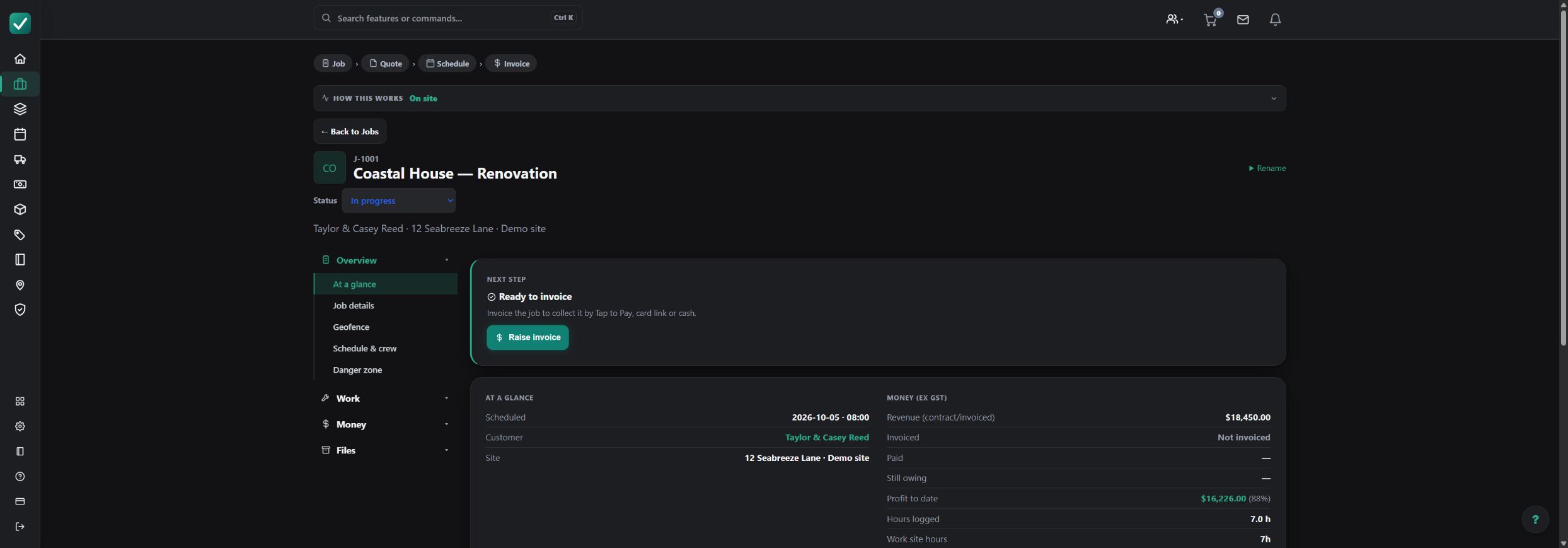
How the workflow fits together
Set up the job
Bring together the customer, site, scope and accepted quote. Keep files and instructions with the work they belong to.
Schedule people and visits
Plan the work and allocate the appropriate crew. Check availability and the job's requirements before confirming arrangements.
Capture the field record
Allocated field staff can use the tools available to their role to record time, notes, photos and assigned tasks. Office-only financial information remains permission-controlled.
Review costs and invoice
Review recorded labour, materials and expenses against the job, then prepare the appropriate invoice. Payment and job completion are separate actions.
Worked example: a commercial fit-out handover
An illustrative office-to-field workflow. Each stage retains a clear next action rather than treating a booked visit as completed work.
| Item or stage | Input | Result |
|---|---|---|
| Before the visit | Office | Scope, site and crew allocation |
| On site | Allocated field staff | Time, photos and task updates |
| After the visit | Office | Review costs and prepare invoice |
Confirm outstanding work, safety requirements and customer changes before marking the job complete. An invoice payment does not itself complete the job.
What to check before you commit
Useful at the point of work
Put the current scope, site instructions and files on the job so the allocated crew can find them.
Separate office and field access
Give people the role and job access they need. Field access is not a blanket grant to business margins, billing or reporting.
Review the actual result
Compare recorded costs with the agreed work. Treat incomplete costs and work in progress as provisional, not a final profitability result.
Questions about trade job management software
Is trade management software the same as job management software?
The terms often overlap. Here the workflow covers quoting, scheduling, field records, job costs and invoicing. Compare the specific tools, permissions and plan limits your business needs.
Can field staff access office financial information?
Access depends on role and permissions. Allocated field users have a field-safe job view; broad margins, billing and office reporting are restricted.
Does receiving payment complete the job?
No. Payment and job completion are separate. Review outstanding tasks and applicable safety or compliance requirements before explicitly completing work.
Can I try the workflow before signing up?
The public live demo provides a read-only example with sample data. Check pricing for the tools and limits available on each plan.
Explore the next step
Explore the quote-to-paid workflow, or open the read-only live demo with sample data.