Plan takeoff to a priced quote
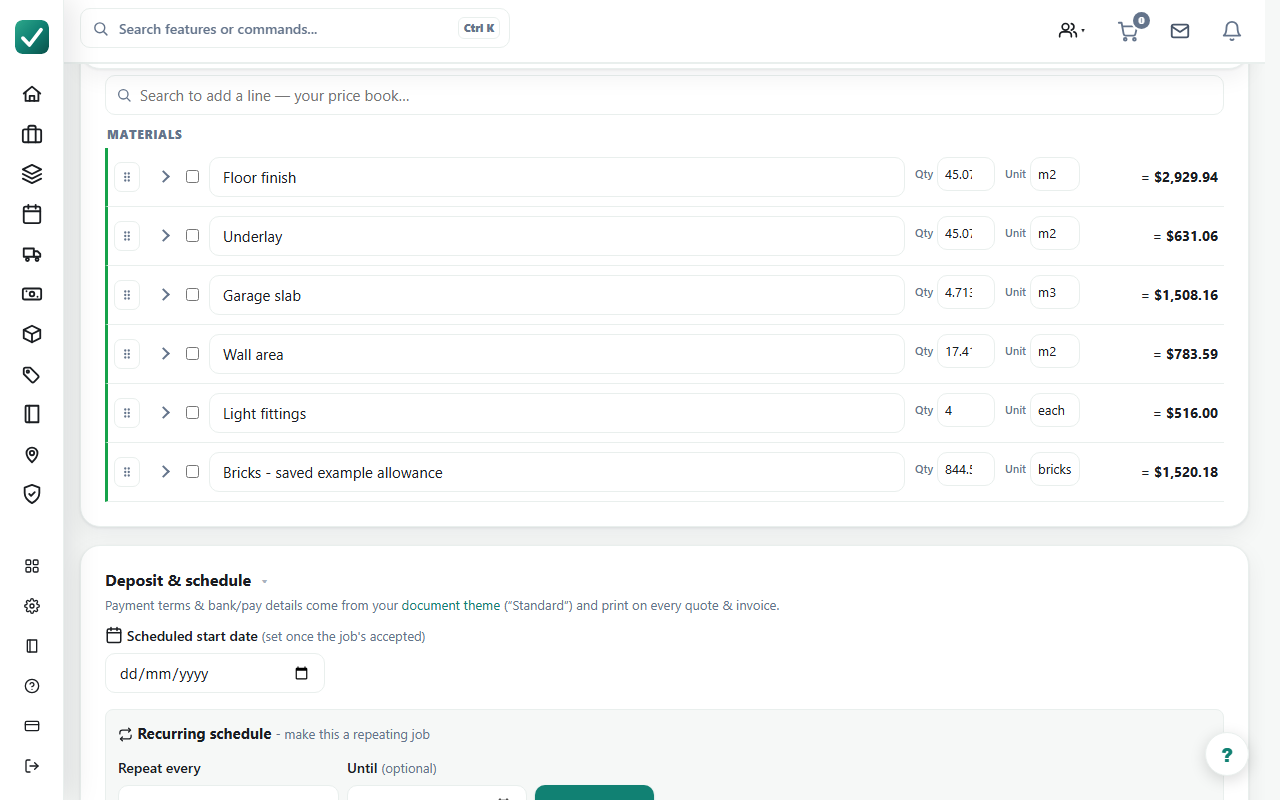
AllQuote connects reviewed plan measurements to quote lines using your price book or assemblies. Calibrate the drawing, measure the scope, then inspect the quantities and prices before sending the quote.
Published by AllQuote. Product information reviewed 18 October 2026. Examples use demonstration scenarios, not customer testimonials or promised results.
Can I measure a drawing and use those quantities in a quote?
AllQuote connects reviewed plan measurements to quote lines using your price book or assemblies. Calibrate the drawing, measure the scope, then inspect the quantities and prices before sending the quote.
- Plans
- Business and Enterprise; also the separate Takeoff entitlement where available.
- Platform and access
- Web editing for eligible office users with takeoff enabled. The mobile viewer has different controls; do not assume desktop editing parity.
How the workflow fits together
Calibrate
Upload a PDF or image and check each page against a known dimension.
Measure
Use lengths, areas, counts or supported volume tools. Check units, openings and any depth or pitch.
Price
Map reviewed quantities to your materials or assemblies and inspect the quote lines before issue.
A worked example
Illustrative quantity check: a 6 m by 4 m rectangular floor measures 24 square metres before deductions. A 2 square metre opening leaves 22 square metres. Price the reviewed quantity using your own rate; waste and labour are separate decisions.
Requirements and limits
The drawing does not verify site conditions, material suitability or every fitting. These pages describe manual 2D takeoff, not generally available 3D or AI-generated estimates. Specialist Takeoff signup depends on region and current availability.
Plan access does not replace user permissions. Check local availability, enabled features and connected services for your business in United States.
What to check in a demonstration
Use a representative plan in a demo. Change its scale, check a measurement, then compare the inserted quote quantity and rate with your manual calculation.