Service agreements and recurring work
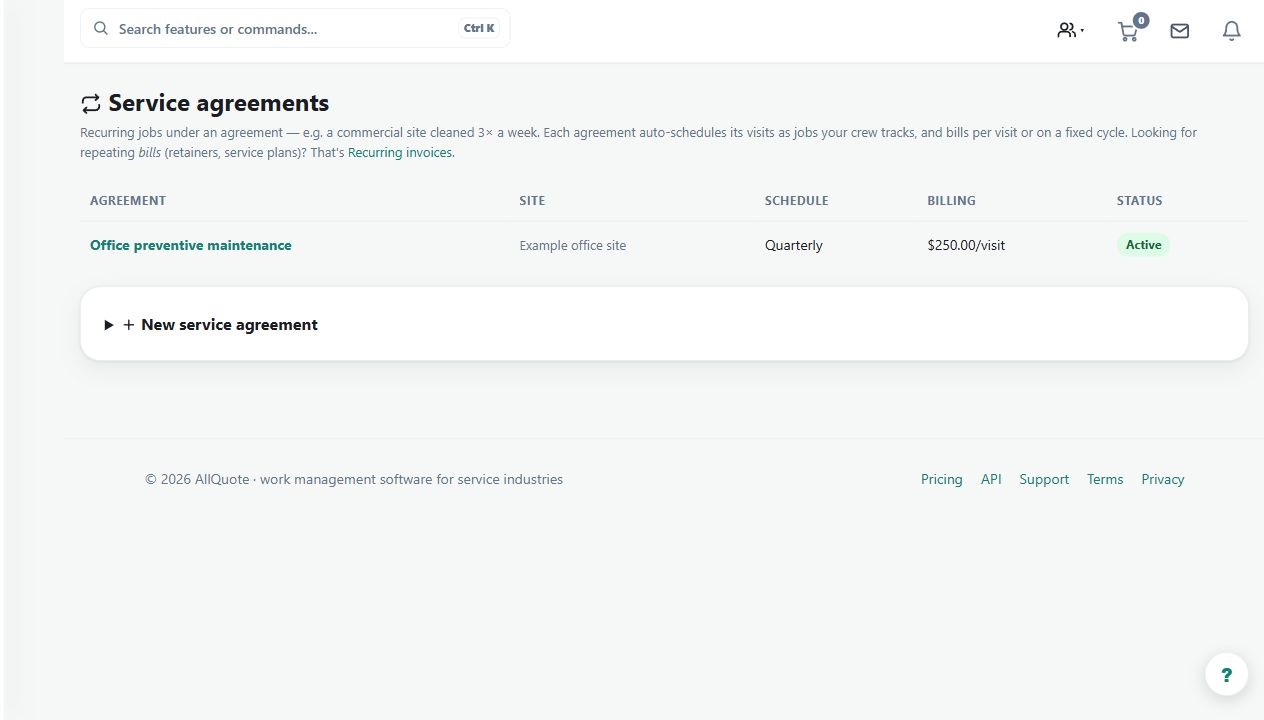
Creates repeat service visits and billing from a saved agreement, recurrence, scope, and billing mode.
Use an agreement for repeat maintenance or service work with a defined customer, site, scope and recurrence, instead of rebuilding each visit from scratch.
Before you start
Availability: Starter plan and above. Enabled business features, role permissions, connected providers and supported devices may add requirements.
Documented roles: Owner, Office. A role name alone does not override the permissions set by your business.
Where to find it: Jobs > Service agreements.
Agree the visit frequency, start date, service scope and billing mode. Check the correct customer and site before saving, especially where one customer has several properties.
Using this guide in United States
- Set your business country in Business settings before entering customer addresses or preparing documents. The country selected on the public website does not change an existing business.
- Check the business currency (USD), time zone and document tax settings. Only enable tax collection if your business is registered and the settings match your requirements. Your customer invoice tax settings are separate from tax on your AllQuote subscription.
- Screenshots use demonstration records. Their sample currency, addresses and tax amounts do not override your business settings.
Step by step
- Open Service agreements from Jobs and create an agreement for the customer and site.
- Set the service scope, recurrence, start date, visit settings, and billing mode.
- Review each generated visit in Jobs or Calendar before assigning crew and completing the work.
- Pause or end the agreement when visits should stop, and review generated invoices before sending.
Worked example
For a quarterly site inspection, create the agreement with the agreed recurrence and scope. Review each generated visit in the job list or calendar, allocate crew, and inspect the billing output before sending.
This is an illustrative scenario. Use your own approved scope, quantities, rates and business rules.
Check the result
Confirm visit dates, site addresses, assigned workers and invoice periods against the agreement. A generated visit still needs operational review and completion evidence.
Limits and troubleshooting
Pausing or ending an agreement needs deliberate review of already-generated work. Do not assume that changing a future recurrence cancels existing visits or reverses issued invoices.
Check current plans and feature availability · Browse every guide