Quote to paid job lifecycle
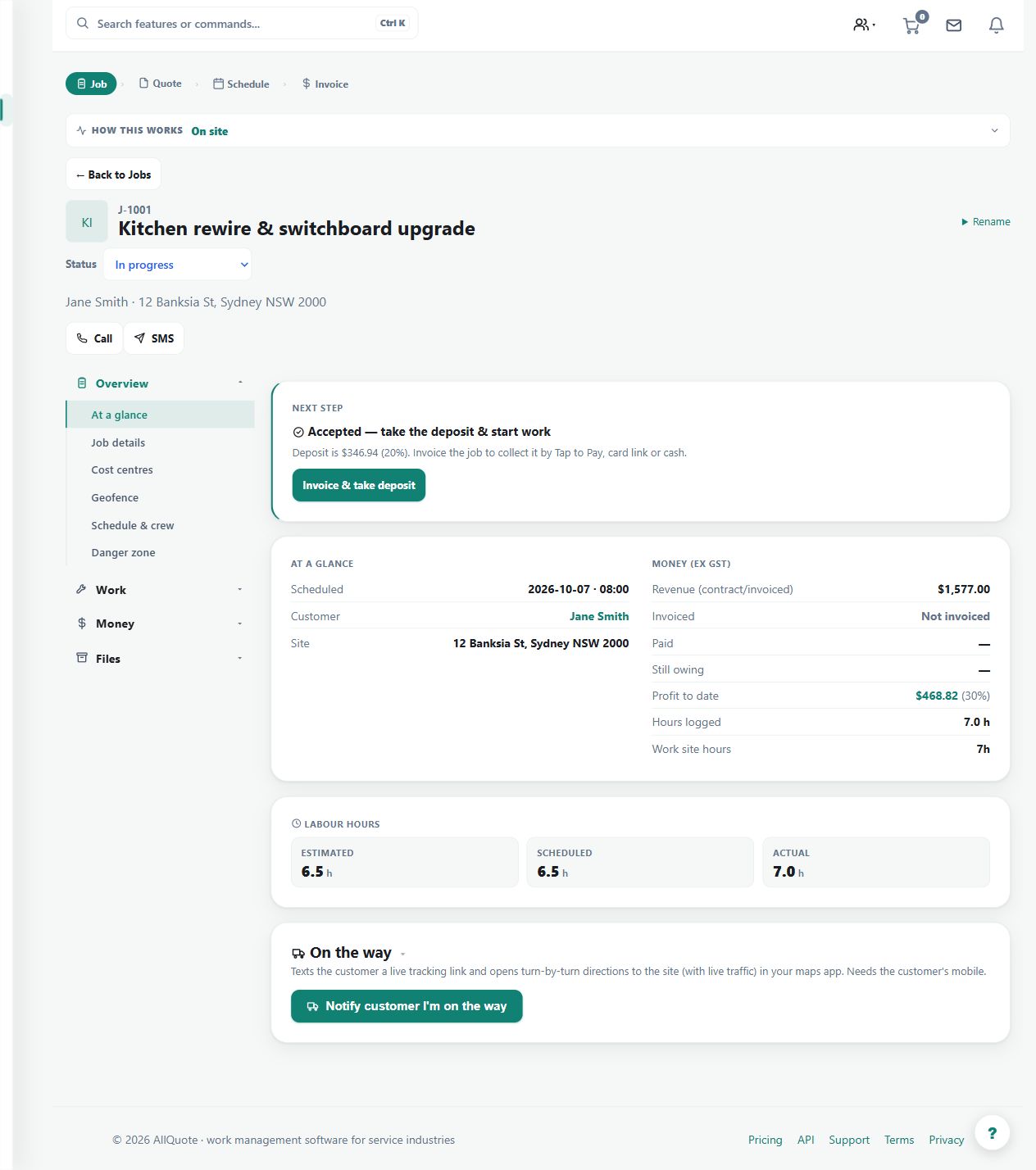
Tracks the work path from quote, accepted quote, deposit, scheduled work, invoice, balance paid, and completion.
Use the linked lifecycle to follow a job from its accepted scope through scheduling, work, invoicing and payment.
Before you start
Availability: Free plan and above. Enabled business features, role permissions, connected providers and supported devices may add requirements.
Where to find it: Jobs > Job > Lifecycle.
Confirm the accepted quote, customer and site. Keep deposits, invoices, files and work records attached to the same job to avoid fragmented history.
Using this guide in United States
- Set your business country in Business settings before entering customer addresses or preparing documents. The country selected on the public website does not change an existing business.
- Check the business currency (USD), time zone and document tax settings. Only enable tax collection if your business is registered and the settings match your requirements. Your customer invoice tax settings are separate from tax on your AllQuote subscription.
- Screenshots use demonstration records. Their sample currency, addresses and tax amounts do not override your business settings.
- Enter the complete street, locality, state or province where applicable, and postal code. If suggestions are unavailable, use manual entry and check the saved address. A saved address without verified coordinates should not be treated as a confirmed map pin or routing destination.
Step by step
- Create a quote from /quote/new or open an existing quote from the jobs/quotes list.
- When the customer accepts, open the linked job from Jobs at /jobs.
- Use the job's lifecycle/status controls to move from scheduled work to in progress, invoiced, paid, and complete.
- Keep schedule, crew, files, costs, invoice, and payment details on the linked job so the audit trail stays together.
Worked example
A customer accepts an installation quote and pays a deposit. Schedule crew, record the work and costs, raise the relevant invoice, then check the remaining balance before completing the commercial lifecycle.
This is an illustrative scenario. Use your own approved scope, quantities, rates and business rules.
Check the result
Check the job's status alongside its work evidence and money records. Physical completion, invoice issue and payment are separate events and should not be assumed from one another.
Limits and troubleshooting
A scheduled date does not prove work occurred, and an issued invoice does not prove payment. Resolve missing costs or balances before relying on a completed-job total.
Follow the screenshot tutorial: Convert quote to job
Check current plans and feature availability · Browse every guide