Reece pricebook integration
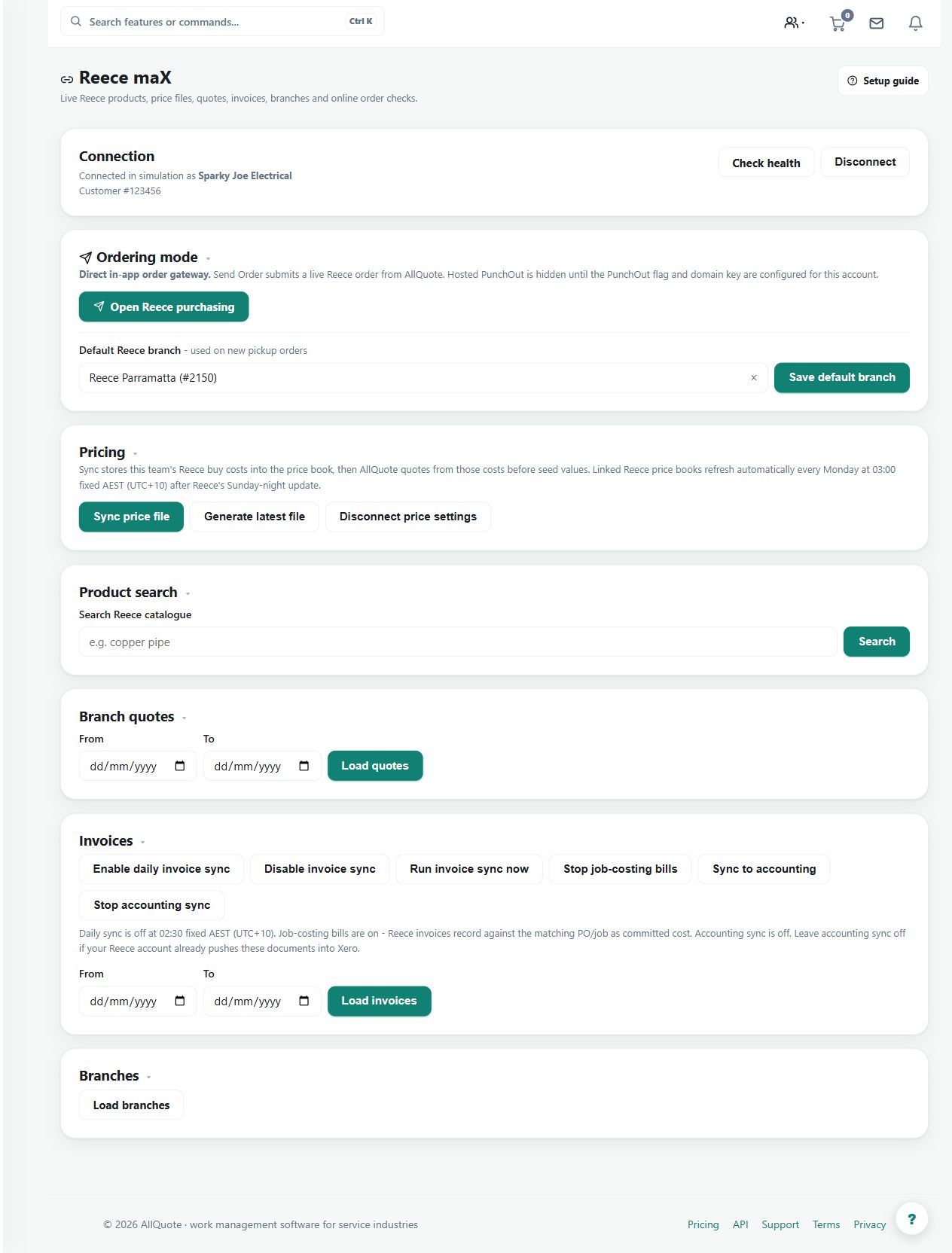
Connects Reece account data, syncs products/pricing, and can add Reece products to the AllQuote price book.
Use the Reece connection to bring supported account products and prices into the business's quoting and purchasing data.
Before you start
Availability: Team plan and above. Enabled business features, role permissions, connected providers and supported devices may add requirements.
Documented roles: Owner, Office. A role name alone does not override the permissions set by your business.
Where to find it: Apps > Integrations > Reece > Price book.
Connect the correct Reece business account and confirm the relevant products, units and price context.
Using this guide in United States
- Set your business country in Business settings before entering customer addresses or preparing documents. The country selected on the public website does not change an existing business.
- Check the business currency (USD), time zone and document tax settings. Only enable tax collection if your business is registered and the settings match your requirements. Your customer invoice tax settings are separate from tax on your AllQuote subscription.
- Screenshots use demonstration records. Their sample currency, addresses and tax amounts do not override your business settings.
- Supplier connections depend on the supplier, account entitlement and supported market. A Reece workflow shown in this guide is not a promise of access through every international Reece business. Use your own supplier price files and review imported units, costs and currency before quoting.
Step by step
- Open Reece at /integrations/reece.
- Connect the Reece integration for the business account.
- Run or schedule a product/price sync.
- Review synced products and add the needed Reece rows into the AllQuote pricebook before quoting or stocking from them.
Worked example
Run a product or price sync, inspect the resulting rows and add the products needed for an estimate to the AllQuote pricebook.
This is an illustrative scenario. Use your own approved scope, quantities, rates and business rules.
Check the result
Compare representative supplier codes, pack sizes and prices with the connected account before using them in a customer quote.
Limits and troubleshooting
A sync reflects supported supplier data and its timing. It does not guarantee that every supplier or every quoted item has a continuous live price feed.
Follow the screenshot tutorial: Order from a supplier
Check current plans and feature availability · Browse every guide