Warehouses, sites, and van locations
Tracks operational locations in one place: live sites, warehouses, vans, stock, equipment, installed assets and opted-in crew nearby.
Use locations to understand where stock, equipment, installed assets and current work belong across sites, vans and warehouses.
Before you start
Availability: Enterprise plan and above. Enabled business features, role permissions, connected providers and supported devices may add requirements.
Documented roles: Owner, Office. A role name alone does not override the permissions set by your business.
Where to find it: Locations > Sites, vans, warehouses.
Keep location names and addresses clear, and assign stock or equipment to the correct place. Live crew context depends on the worker's sharing eligibility.
Using this guide in United States
- Set your business country in Business settings before entering customer addresses or preparing documents. The country selected on the public website does not change an existing business.
- Check the business currency (USD), time zone and document tax settings. Only enable tax collection if your business is registered and the settings match your requirements. Your customer invoice tax settings are separate from tax on your AllQuote subscription.
- Screenshots use demonstration records. Their sample currency, addresses and tax amounts do not override your business settings.
Step by step
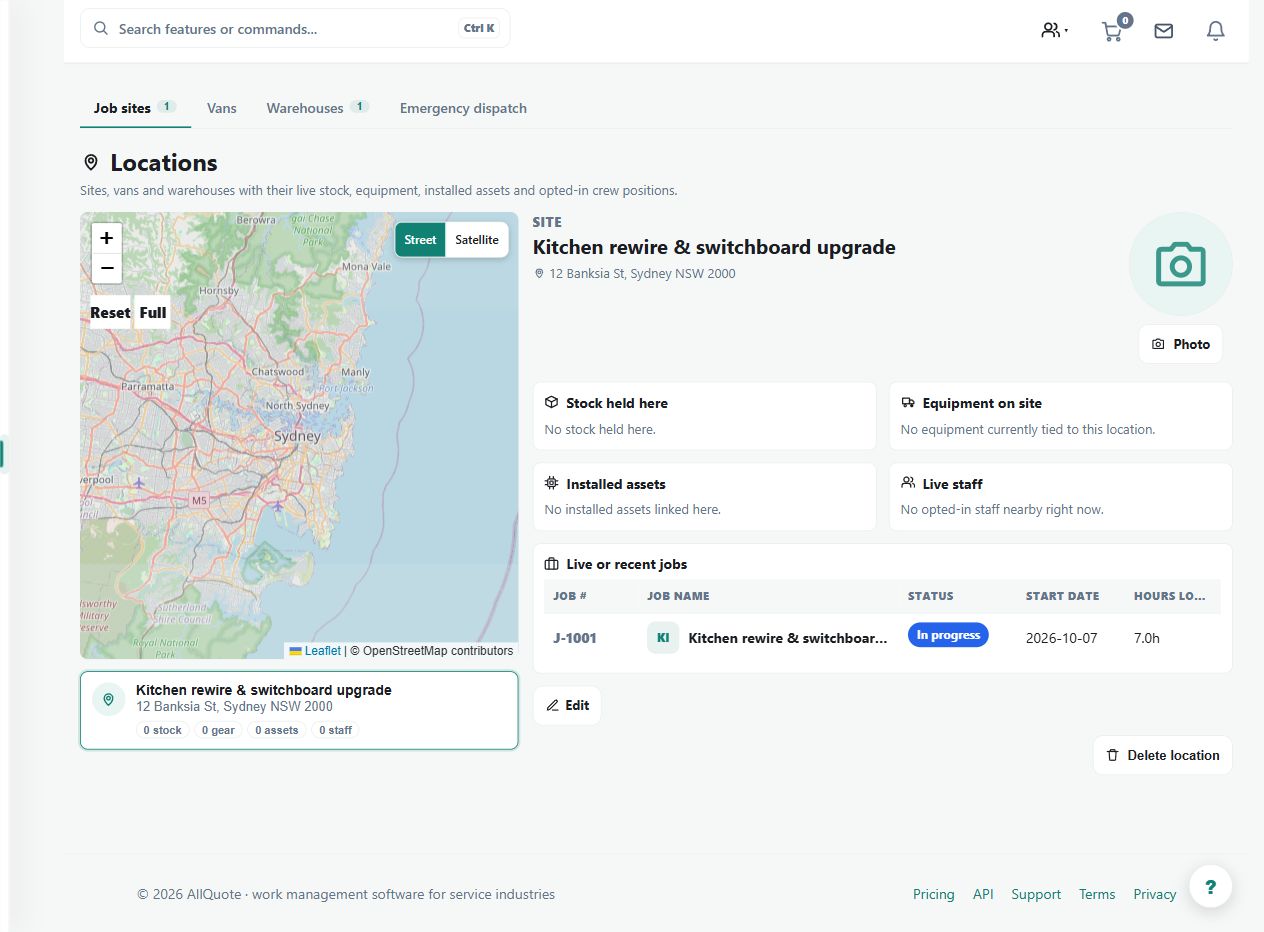
- Open Locations for job sites, warehouses, vans, crew map and dispatch context.
- Use the Sites, Vans, and Warehouses tabs to inspect each location's photo, address, stock, equipment, assets, jobs and live staff.
- Open a map pin or location row to see the full detail panel.
- Use Stock > Restock when inventory needs moving between warehouses, vans, and sites.
Worked example
A warehouse supplies two vans and a project site. Inspect each location's stock and equipment before planning a restock transfer, then use the relevant detail panel for linked work.
This is an illustrative scenario. Use your own approved scope, quantities, rates and business rules.
Check the result
Compare location balances with actual holdings and confirm that the job/site context matches the selected map pin or row.
Limits and troubleshooting
A location summary is not proof that a worker or item is physically there now. Review stock movements and the freshness and consent conditions of any live crew location.
Check current plans and feature availability · Browse every guide