Enquiries
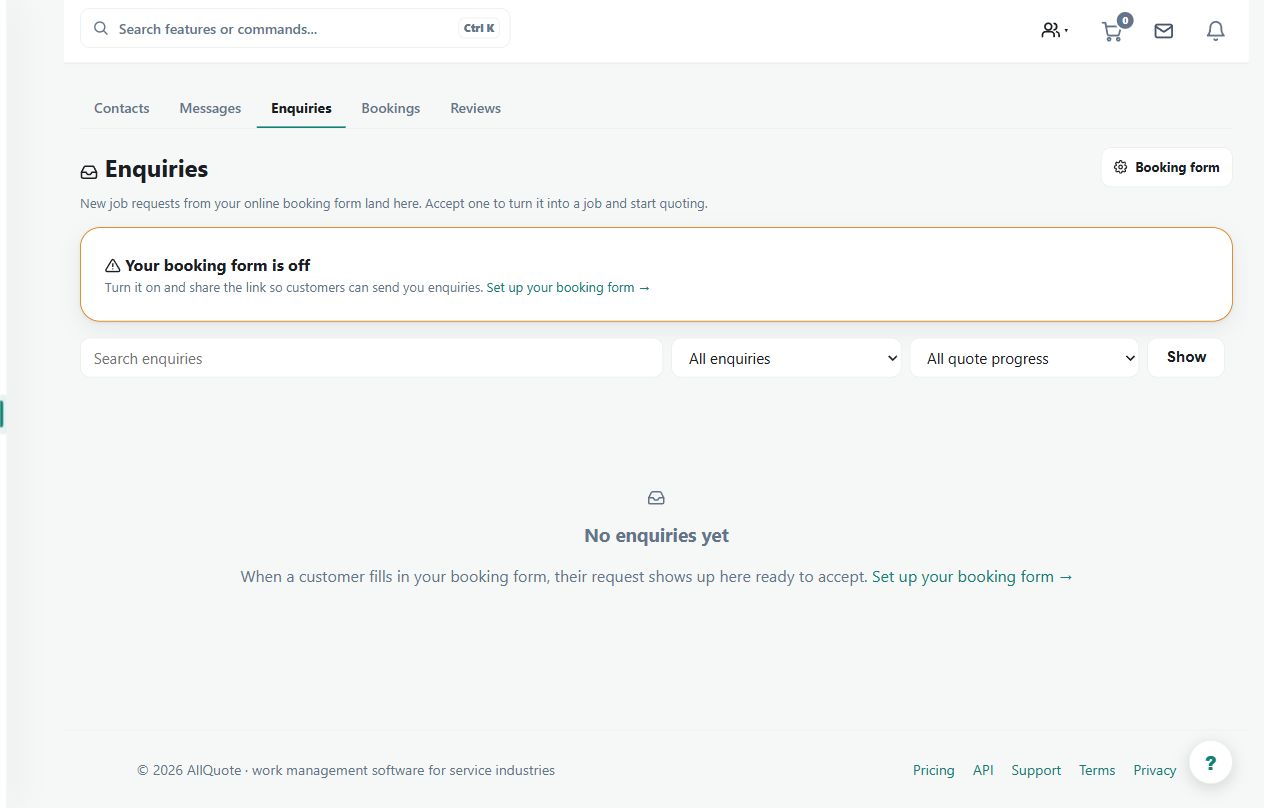
Collects incoming customer enquiries separately from confirmed bookings and active jobs.
Use the enquiries list to separate unqualified requests from confirmed bookings and active jobs.
Before you start
Availability: Starter plan and above. Enabled business features, role permissions, connected providers and supported devices may add requirements.
Documented roles: Owner, Office. A role name alone does not override the permissions set by your business.
Where to find it: Customers > Enquiries.
Check the sender's contact details, site and requested scope. Search for an existing customer or duplicate request before creating more records.
Using this guide in United Kingdom
- Set your business country in Business settings before entering customer addresses or preparing documents. The country selected on the public website does not change an existing business.
- Check the business currency (GBP), time zone and document tax settings. Only enable tax collection if your business is registered and the settings match your requirements. Your customer invoice tax settings are separate from tax on your AllQuote subscription.
- Screenshots use demonstration records. Their sample currency, addresses and tax amounts do not override your business settings.
Step by step
- Open Enquiries at /enquiries.
- Review each new request, including customer contact details and the message.
- Convert the enquiry into the next operational record when it is real work.
- Dismiss or close enquiries that are spam, duplicates, or not proceeding.
Worked example
A property manager asks about a repair without a confirmed date. Review the request, obtain the missing details and move it into the appropriate operational workflow only when it is proceeding.
This is an illustrative scenario. Use your own approved scope, quantities, rates and business rules.
Check the result
Confirm the next record is linked to the intended customer and that the enquiry's status reflects what actually happened.
Limits and troubleshooting
An enquiry is not a booked job or accepted quote. Closing spam or duplicates should not remove the history of a genuine customer request.
Check current plans and feature availability · Browse every guide