Forms, certificates, SWMS, JSA, and checklists
Creates reusable forms, compliance certificates, SWMS/JSA templates, prestart checklists and incident records for jobs and sites.
Use reusable forms and safety records to collect the information your business requires for particular jobs, tasks, sites or equipment.
Before you start
Availability: Team plan and above. Enabled business features, role permissions, connected providers and supported devices may add requirements.
Documented roles: Owner, Office, Team. A role name alone does not override the permissions set by your business.
Where to find it: Work > Compliance Hub > Forms and SWMS.
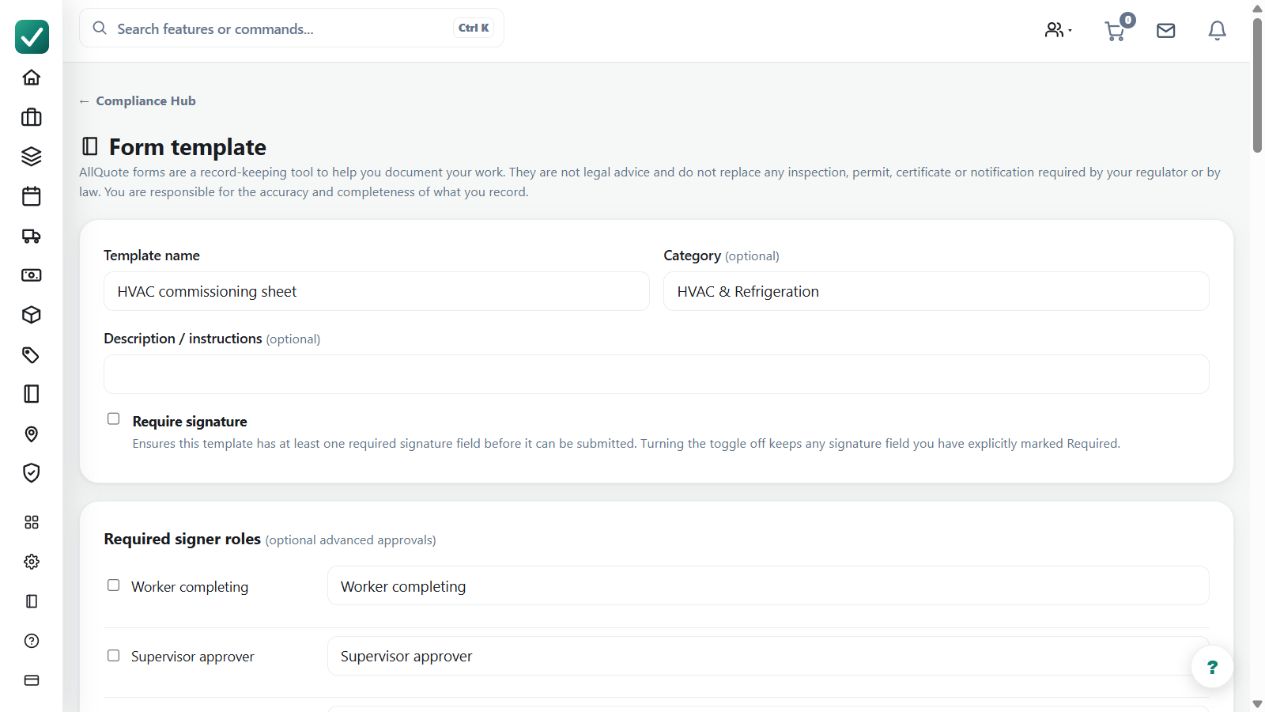
Choose a starter template or create the form your work requires. Review its title, individual field labels, answer types, required-field settings and signer roles. Have the appropriate person check the questions and acceptance criteria before issuing it to the crew.
Using this guide in Canada
- Set your business country in Business settings before entering customer addresses or preparing documents. The country selected on the public website does not change an existing business.
- Check the business currency (CAD), time zone and document tax settings. Only enable tax collection if your business is registered and the settings match your requirements. Your customer invoice tax settings are separate from tax on your AllQuote subscription.
- Screenshots use demonstration records. Their sample currency, addresses and tax amounts do not override your business settings.
- Use forms, licence types and sign-off requirements approved for your country and the specific contract. Australian demonstration forms and SWMS terminology are examples, not certification that a document meets local law. Check the completed document and approval record before relying on it for site access.
Step by step
- Open Compliance Hub and add a starter template or create the form, SWMS, JSA, prestart, certificate or incident record your business uses.
- Attach the right template or requirement to the job, task, equipment or site before work begins.
- Have crew complete the required fields and collect a signature only when that template or record requires one.
- Review the completed record from the job, equipment or Compliance Hub and export it when you need a filed copy.
Worked example
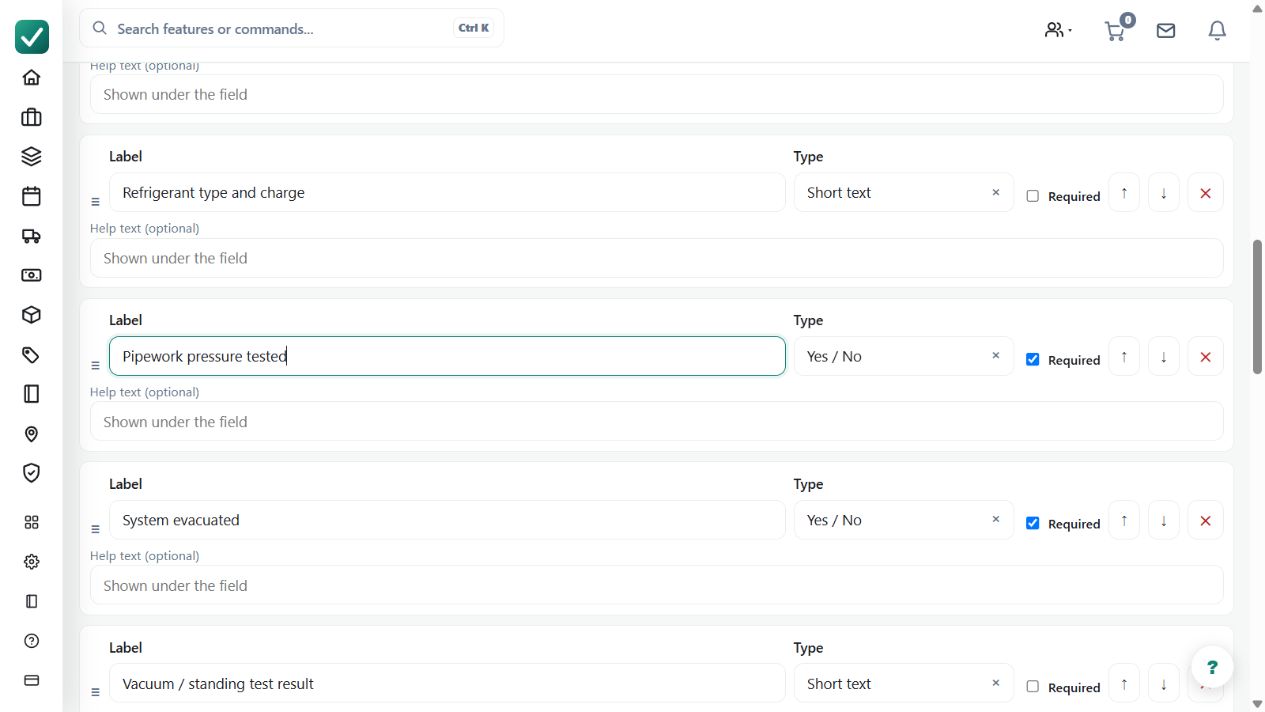
Start with an HVAC commissioning template. Inspect the installation and pressure-test questions, select suitable answer types and mark required answers. Review the signer roles, then save the template and attach the appropriate form to the actual job. A crew member completes the requested answers and signatures; the office checks the completed record. For a supplied document whose page layout must be retained, follow the separate existing-PDF forms guide.
This is an illustrative scenario. Use your own approved scope, quantities, rates and business rules.
Check the result
Inspect the actual answers, required signatures and completion details on the saved record. Confirm it belongs to the correct job or equipment. Test the template using an example job before relying on it for operational work; editing a template is not the same as completing an inspection.
Limits and troubleshooting
A completed template does not certify that every legal or site obligation has been met. Enforcement depends on the configured requirements and available feature mode.
Follow the screenshot tutorial: Manage licences and compliance
Check current plans and feature availability · Browse every guide