GPS timesheet suggestions and discrepancies
Turns geofence arrival and leave events into pending timesheet suggestions, preserving recorded GPS minutes for review.
Use GPS-derived suggestions as evidence to review when preparing timesheets, rather than automatically treating every location minute as billable labour.
Before you start
Availability: Crew plan and above. Enabled business features, role permissions, connected providers and supported devices may add requirements.
Documented roles: Owner, Office. A role name alone does not override the permissions set by your business.
Where to find it: Timesheets > GPS suggestions.
Confirm the job's site/geofence and compare recorded arrival and leave events with the worker's notes and actual work.
Using this guide in Canada
- Set your business country in Business settings before entering customer addresses or preparing documents. The country selected on the public website does not change an existing business.
- Check the business currency (CAD), time zone and document tax settings. Only enable tax collection if your business is registered and the settings match your requirements. Your customer invoice tax settings are separate from tax on your AllQuote subscription.
- Screenshots use demonstration records. Their sample currency, addresses and tax amounts do not override your business settings.
Step by step
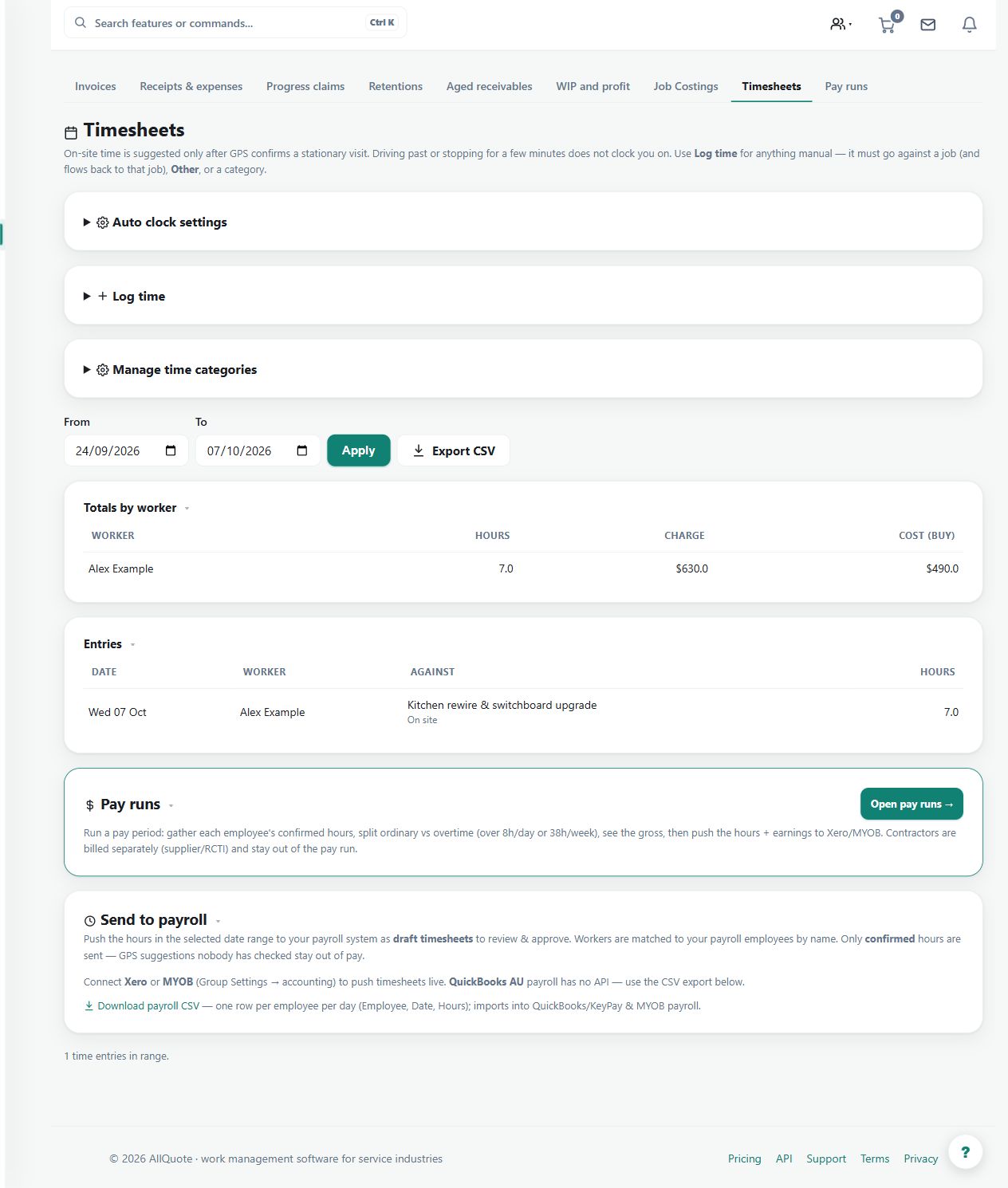
- Open Timesheets at /timesheets.
- Review the suggested GPS segments created from arrival and leave events.
- Open the calculation/discrepancy details when the suggested time does not match the expected job time.
- Accept, amend, or dismiss the suggestion before it becomes payroll or billable job time.
Worked example
A location segment includes time before access was available. Open the discrepancy details, adjust or dismiss the proposal as appropriate, then approve only the supported work time.
This is an illustrative scenario. Use your own approved scope, quantities, rates and business rules.
Check the result
Check the accepted job allocation, start and end times and breaks. Retain the distinction between recorded GPS minutes and approved time.
Limits and troubleshooting
GPS presence does not establish productive work or payroll entitlement. Suggestions must be accepted, amended or dismissed before downstream use.
Check current plans and feature availability · Browse every guide