CSV and ServiceM8 import
Brings existing customers, jobs and operating data into AllQuote from CSV files or a ServiceM8 export, so setup does not start from a blank account.
Use CSV or ServiceM8 import to bring supported existing operational records into AllQuote.
Before you start
Availability: Free plan and above. Enabled business features, role permissions, connected providers and supported devices may add requirements.
Where to find it: Settings > Import > CSV / ServiceM8.
Prepare the correct export and check columns, identifiers and duplicates. Keep a copy of the source file for reconciliation.
Using this guide in Canada
- Set your business country in Business settings before entering customer addresses or preparing documents. The country selected on the public website does not change an existing business.
- Check the business currency (CAD), time zone and document tax settings. Only enable tax collection if your business is registered and the settings match your requirements. Your customer invoice tax settings are separate from tax on your AllQuote subscription.
- Screenshots use demonstration records. Their sample currency, addresses and tax amounts do not override your business settings.
Step by step
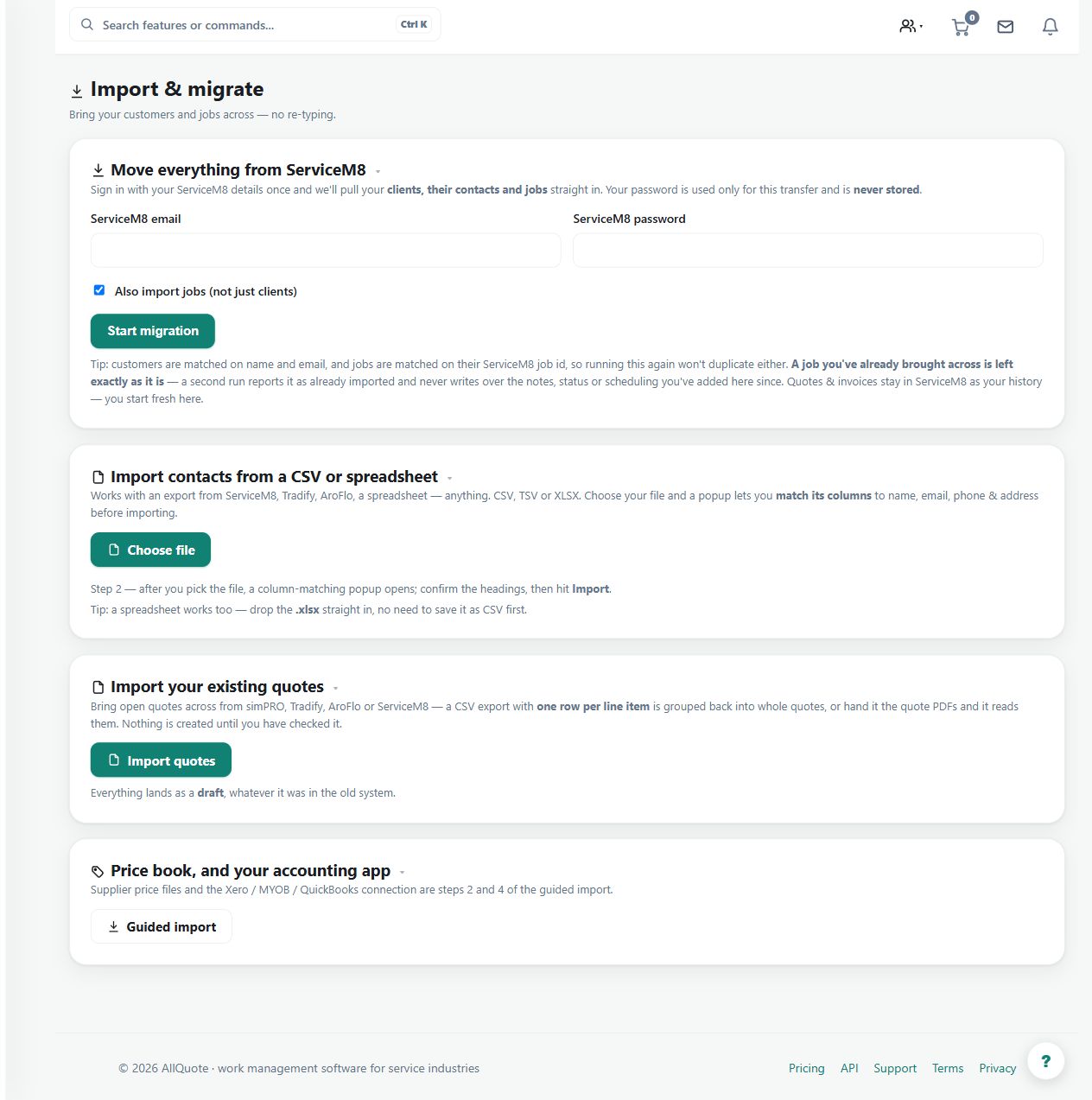
- Open Import at /import.
- Choose the CSV import or the ServiceM8 import for the data being moved.
- Upload the file and review what will be created before confirming.
- Check the imported records in Contacts and Jobs before quoting against them.
Worked example
Import a small representative set first, review the proposed records, confirm deliberately and inspect the resulting customers and jobs before a wider migration.
This is an illustrative scenario. Use your own approved scope, quantities, rates and business rules.
Check the result
Compare counts and representative records with the source, including customer identity, addresses and job context.
Limits and troubleshooting
An import format does not imply every historical attachment or external-system feature is migrated. Review the supported fields and the actual preview rather than assuming a complete system clone.
Check current plans and feature availability · Browse every guide