Roles and permissions
Controls what each role can do, including business settings, team management, dispatch, reports, and operational access.
Use roles to give people the operational access their responsibilities require.
Before you start
Availability: Starter plan and above. Enabled business features, role permissions, connected providers and supported devices may add requirements.
Documented roles: Owner, Office. A role name alone does not override the permissions set by your business.
Where to find it: Settings > Business Settings > Roles.
Identify the permissions needed for quoting, dispatch, stock, reporting, team management or business settings. Review existing roles before adding another.
Using this guide in New Zealand
- Set your business country in Business settings before entering customer addresses or preparing documents. The country selected on the public website does not change an existing business.
- Check the business currency (NZD), time zone and document tax settings. Only enable tax collection if your business is registered and the settings match your requirements. Your customer invoice tax settings are separate from tax on your AllQuote subscription.
- Screenshots use demonstration records. Their sample currency, addresses and tax amounts do not override your business settings.
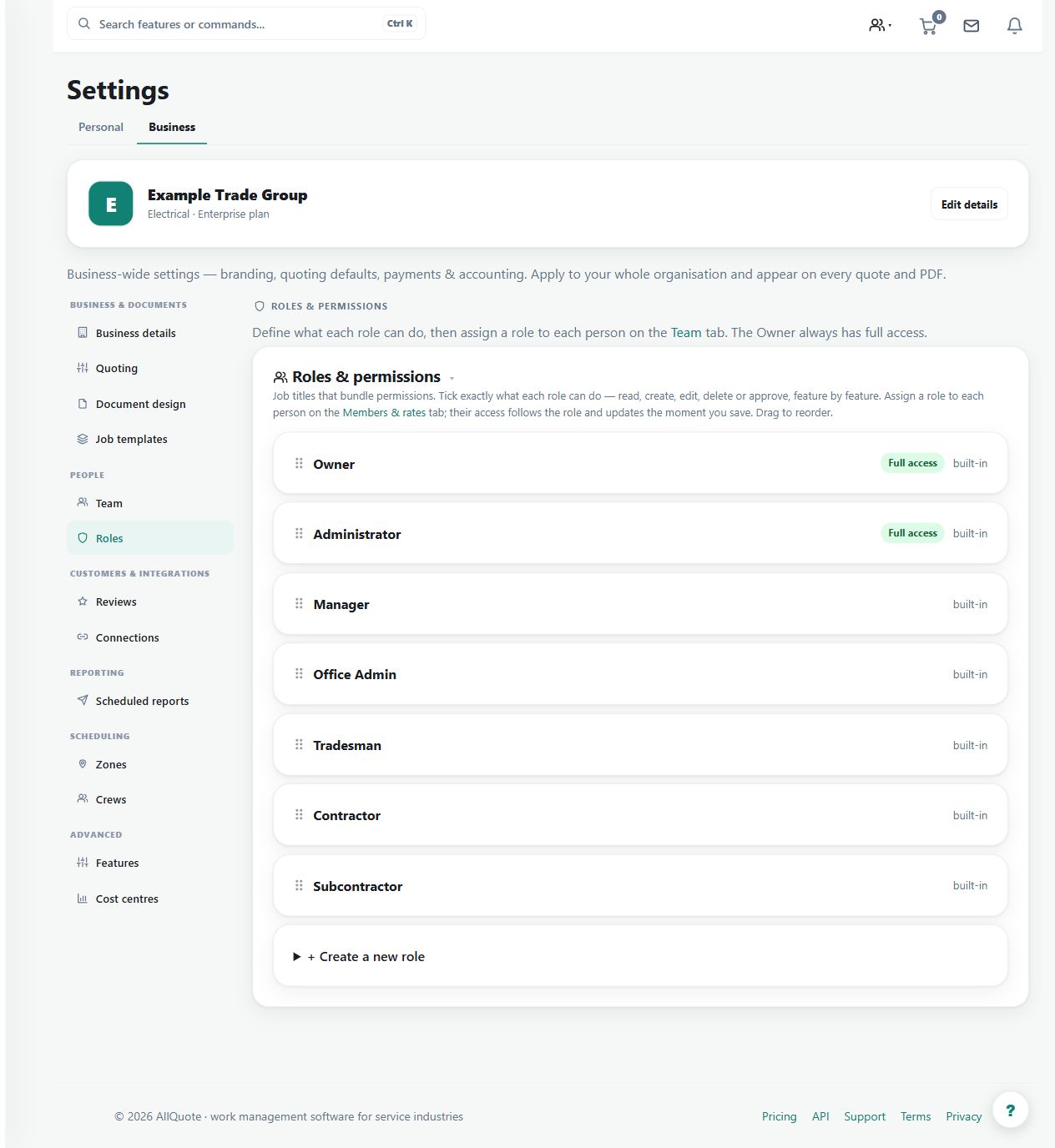
Step by step
- Open Business settings > Roles at /group-settings?tab=roles.
- Create a role or edit an existing non-system role.
- Tick the permission areas that role should have, such as team, dispatch, reports, stock, quoting, or business settings.
- Return to Business settings > Team and assign the role to each person.
Worked example
Create or edit a non-system office role, select the intended permissions and assign it to the relevant team member.
This is an illustrative scenario. Use your own approved scope, quantities, rates and business rules.
Check the result
Check the resulting access using the intended role, including areas that should remain unavailable.
Limits and troubleshooting
A role name does not itself grant every capability. Plan entitlement and enabled features can impose additional limits, and system roles may not be editable.
Check current plans and feature availability · Browse every guide