Reports
Produces operational and profitability reports from jobs, quotes, invoices, labour, and stock data.
Use operational reports to answer a defined question about revenue, cash, jobs, labour, stock or the sales pipeline.
Before you start
Availability: Team plan and above. Enabled business features, role permissions, connected providers and supported devices may add requirements.
Documented roles: Owner, Office. A role name alone does not override the permissions set by your business.
Where to find it: Reports > Standard reports.
Choose the report and period, and confirm that the source records use the intended dates and statuses.
Using this guide in New Zealand
- Set your business country in Business settings before entering customer addresses or preparing documents. The country selected on the public website does not change an existing business.
- Check the business currency (NZD), time zone and document tax settings. Only enable tax collection if your business is registered and the settings match your requirements. Your customer invoice tax settings are separate from tax on your AllQuote subscription.
- Screenshots use demonstration records. Their sample currency, addresses and tax amounts do not override your business settings.
Step by step
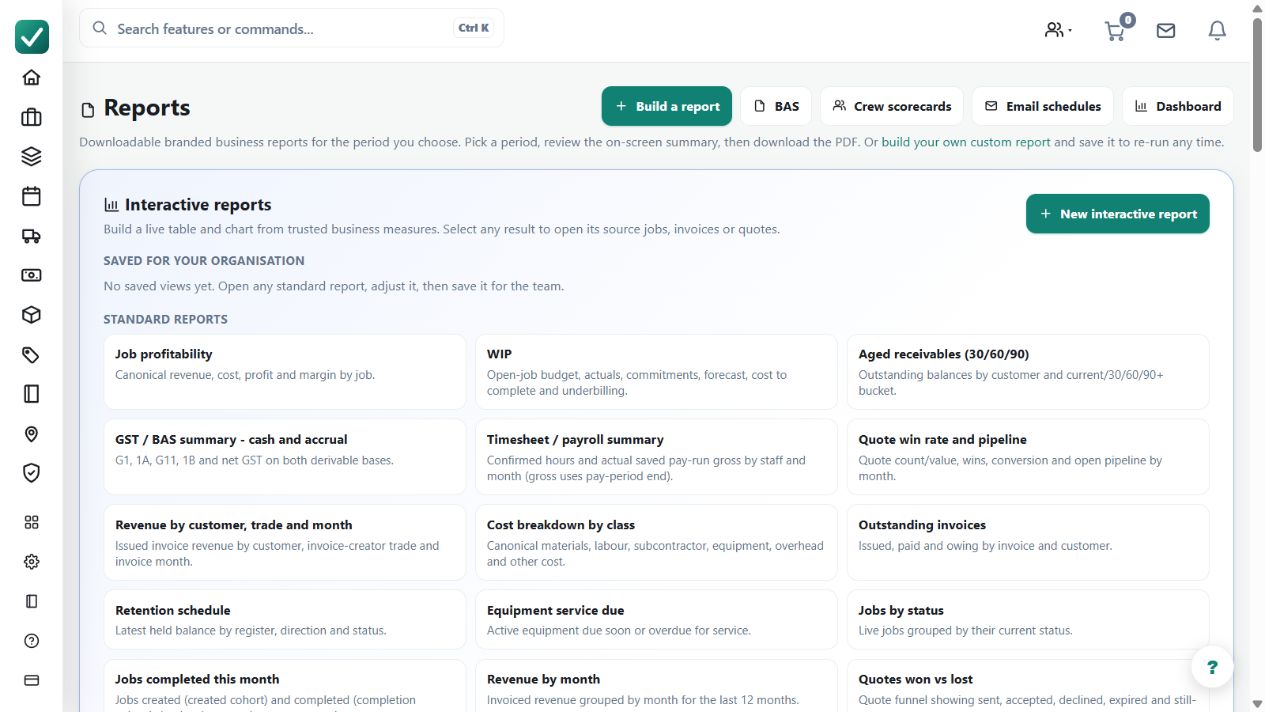
- Open Reports from the sidebar or go to /reports.
- Choose the report type needed for revenue, cash, job profitability, aged receivables, crew hours, or sales pipeline.
- Set the date range and filters shown on the report page.
- Generate, view, print, or export the report for the period being reviewed.
Worked example
Review aged receivables for collection work, then open the invoices behind a surprising balance rather than treating the summary as an independent record.
This is an illustrative scenario. Use your own approved scope, quantities, rates and business rules.
Check the result
Reconcile sample totals with their source invoices, payments, jobs or time entries. Export the period and filters used when sharing a report.
Limits and troubleshooting
Different reports answer different questions. Invoiced revenue, cash received and job profit are not interchangeable, and missing source records can distort a summary.
Check current plans and feature availability · Browse every guide