Custom report builder
Builds saved reports from selected metrics, filters, date ranges, and output formats.
Use the builder to create a reusable view around a business question that the standard report layout does not answer.
Before you start
Availability: Enterprise plan and above. Enabled business features, role permissions, connected providers and supported devices may add requirements.
Documented roles: Owner, Office. A role name alone does not override the permissions set by your business.
Where to find it: Reports > Report Builder.
Choose the appropriate dataset, fields, metrics and filters before selecting the output format.
Using this guide in New Zealand
- Set your business country in Business settings before entering customer addresses or preparing documents. The country selected on the public website does not change an existing business.
- Check the business currency (NZD), time zone and document tax settings. Only enable tax collection if your business is registered and the settings match your requirements. Your customer invoice tax settings are separate from tax on your AllQuote subscription.
- Screenshots use demonstration records. Their sample currency, addresses and tax amounts do not override your business settings.
Step by step
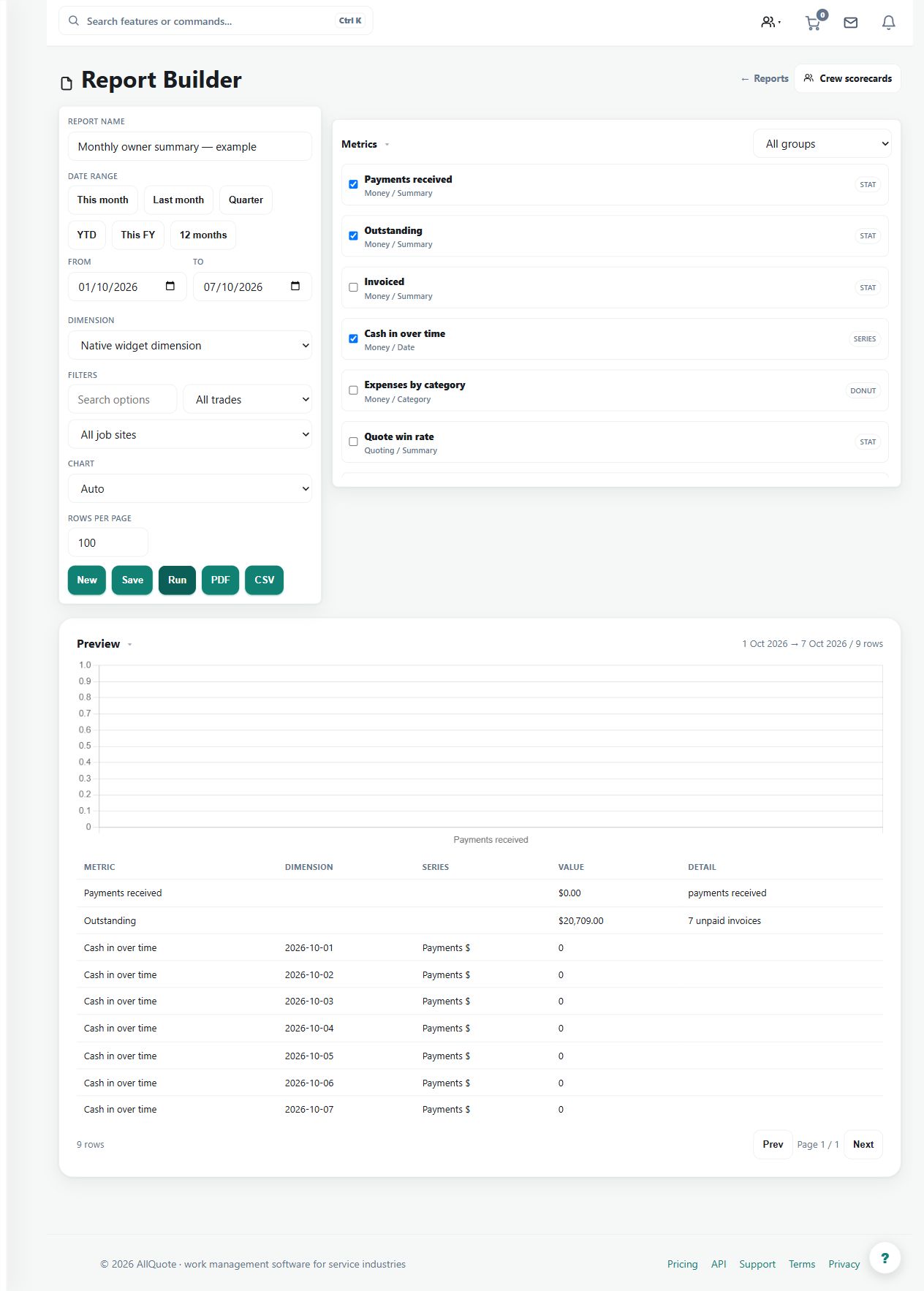
- Open Report Builder at /reports/builder.
- Choose the dataset, fields, metrics, filters, and date range.
- Preview the output and adjust the columns until it answers the business question.
- Save or export the report so it can be reused.
Worked example
Build a saved view for the jobs and period a manager reviews each week. Preview the columns and totals, refine the filters, then save or export it.
This is an illustrative scenario. Use your own approved scope, quantities, rates and business rules.
Check the result
Check representative rows against the underlying records and make the reporting period clear to the reader.
Limits and troubleshooting
A custom column selection does not change source data or establish a new accounting policy. Review aggregations so incompatible units or periods are not combined.
Check current plans and feature availability · Browse every guide