QR asset tags and self-print labels
Generates QR asset-tag tokens, prints durable labels, and opens the linked asset when a tag is scanned.
Use QR labels to make the correct asset record easier for authorised team members to open in the field.
Before you start
Availability: Business plan and above. Enabled business features, role permissions, connected providers and supported devices may add requirements.
Documented roles: Owner, Office. A role name alone does not override the permissions set by your business.
Where to find it: Assets > QR labels > Scan to asset.
Choose the label size and printer layout, and identify which asset each printed token will be allocated to.
Using this guide in New Zealand
- Set your business country in Business settings before entering customer addresses or preparing documents. The country selected on the public website does not change an existing business.
- Check the business currency (NZD), time zone and document tax settings. Only enable tax collection if your business is registered and the settings match your requirements. Your customer invoice tax settings are separate from tax on your AllQuote subscription.
- Screenshots use demonstration records. Their sample currency, addresses and tax amounts do not override your business settings.
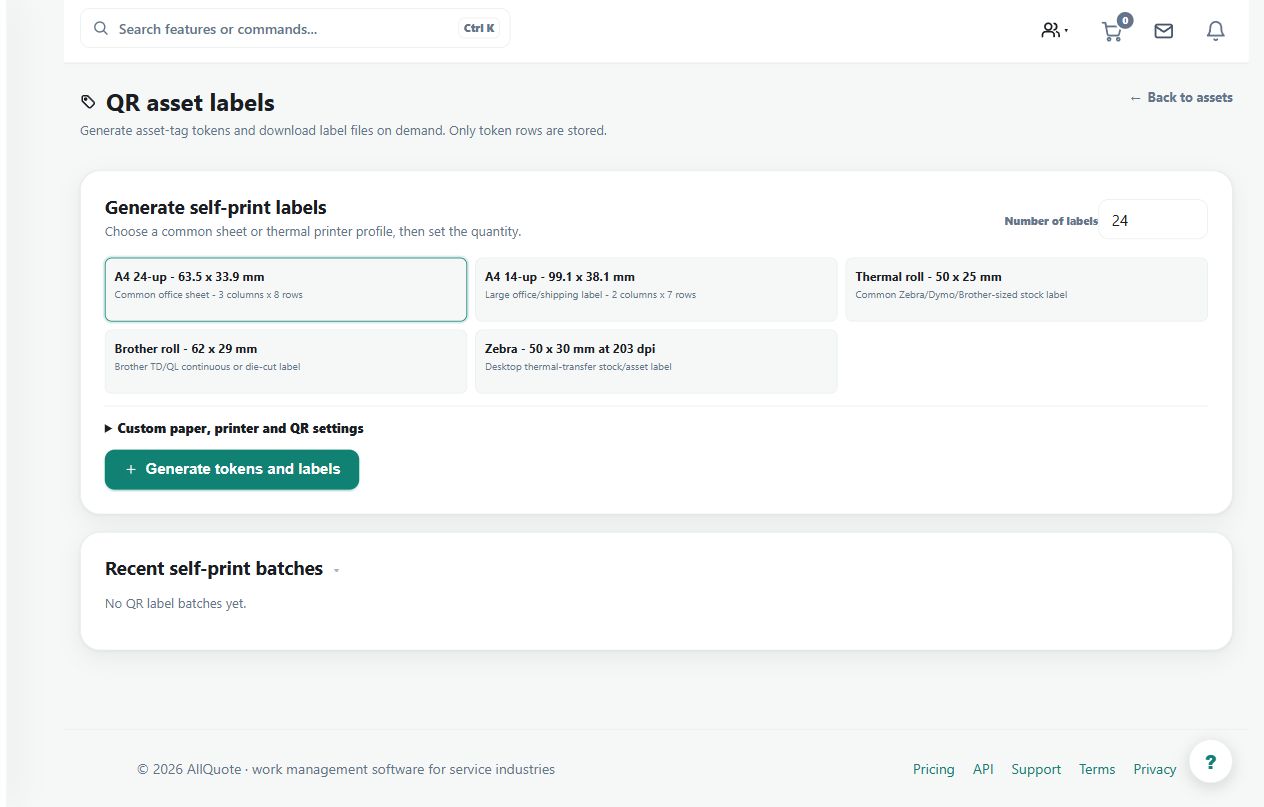
Step by step
- Open Assets, then QR labels.
- Generate the number of labels needed and choose the label and page dimensions for the PDF grid.
- Download the PDF grid or a Brother, Dymo, or Zebra thermal template; files are rendered when downloaded.
- Attach the printed label to the asset, scan it, and choose the asset record to allocate the tag.
- After allocation, scans open the linked asset for signed-in team members.
Worked example
Print a sample label, scan it, allocate it to the intended asset and scan again from a signed-in team account to confirm the destination.
This is an illustrative scenario. Use your own approved scope, quantities, rates and business rules.
Check the result
Check readability, physical placement and the linked asset identity before printing or applying a large batch.
Limits and troubleshooting
A printed token is not an asset until allocated. Scanning does not grant unrestricted access; allocated tags open the asset for signed-in team members with the applicable access.
Check current plans and feature availability · Browse every guide