Variations on a job
Records extra or changed work against the job's quote, tracks whether each variation is still open or billed, and names the document that billed it.
Use variations to record additions, changes or credits against the quoted job and follow whether each change has been billed.
Before you start
Availability: Free plan and above. Enabled business features, role permissions, connected providers and supported devices may add requirements.
Documented roles: Owner, Office. A role name alone does not override the permissions set by your business.
Where to find it: Money & Invoicing > Variations on a job.
Describe the changed scope and agreed amount clearly. Check the original quote, any open invoice and the money already received before adding a credit.
Using this guide in New Zealand
- Set your business country in Business settings before entering customer addresses or preparing documents. The country selected on the public website does not change an existing business.
- Check the business currency (NZD), time zone and document tax settings. Only enable tax collection if your business is registered and the settings match your requirements. Your customer invoice tax settings are separate from tax on your AllQuote subscription.
- Screenshots use demonstration records. Their sample currency, addresses and tax amounts do not override your business settings.
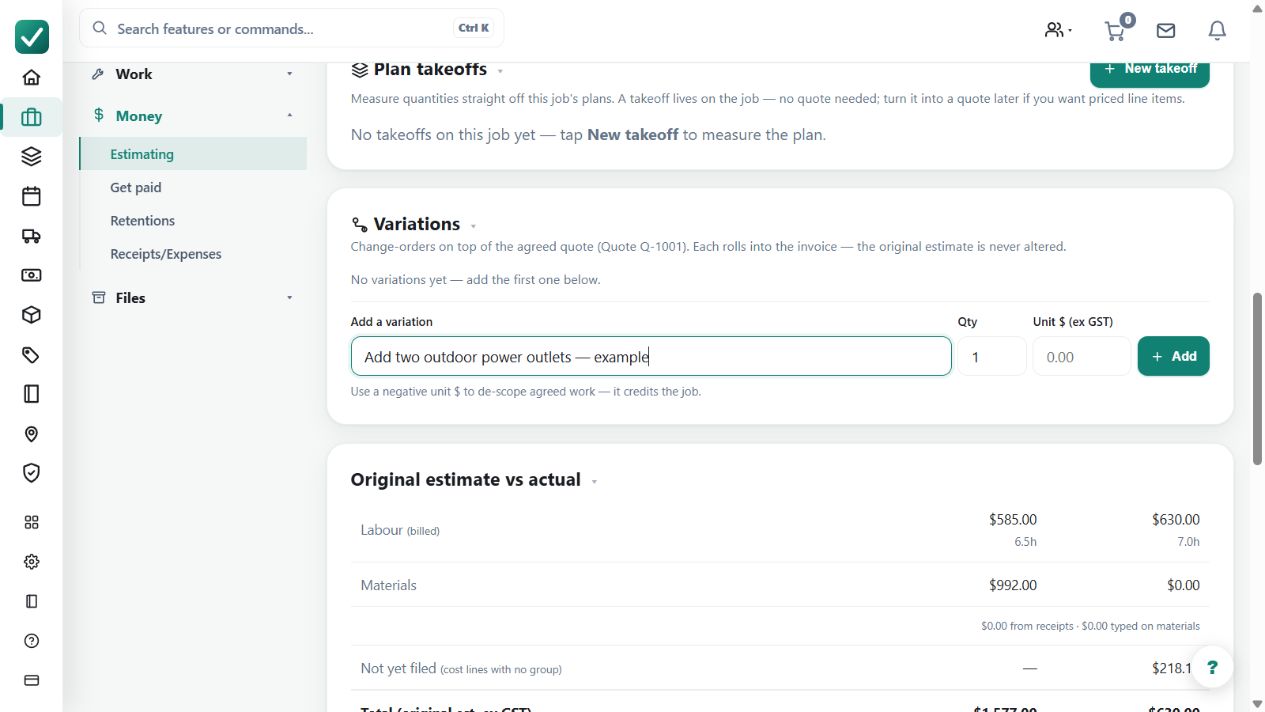
Step by step
- Open the job and use Add variation, describing the extra or changed work it covers.
- Check the amount: a credit is refused only if it would take the quote, or an open invoice, below zero. Reducing below money the customer has already paid is allowed on purpose -- a deposit-heavy job can lose scope.
- Bill the variation with the next invoice, or leave it open -- the job shows which variations are still unbilled.
- The customer's document folds the variation into the quote it belongs to, so they read one coherent total rather than a pile of addenda.
Worked example
A customer removes part of an installation after paying a large deposit. Record the scope reduction as a credit variation and review the resulting contract value and billing position.
This is an illustrative scenario. Use your own approved scope, quantities, rates and business rules.
Check the result
Check open versus billed labels and the document named as having billed each variation. Review the customer's combined document so the revised scope and total are coherent.
Limits and troubleshooting
A credit may reduce value below money already received; it is refused if it takes the quote or an open invoice below zero. A billed variation is not an editable placeholder for later changes.
Check current plans and feature availability · Browse every guide