Client-linked follow-ups
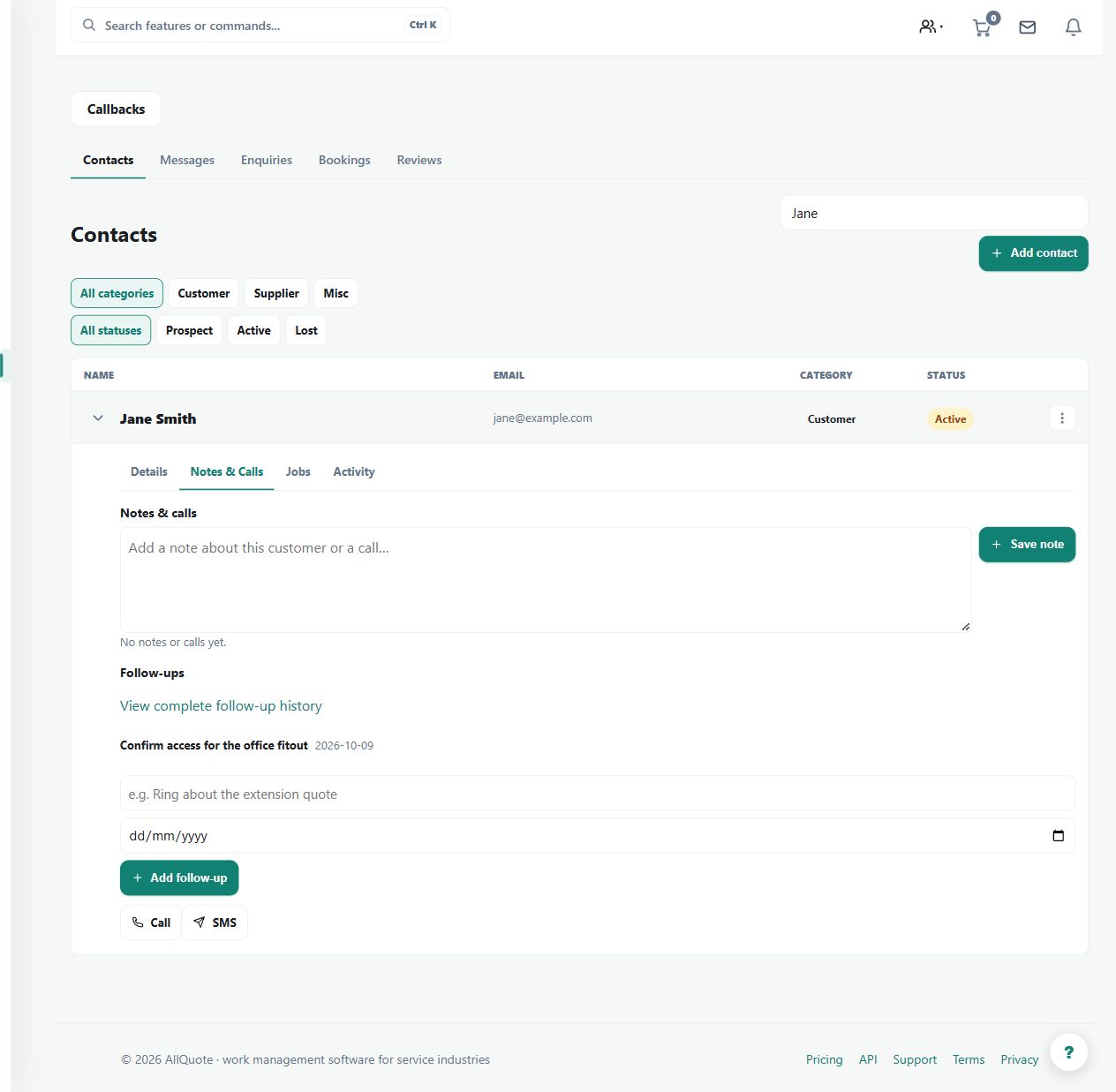
Adds a follow-up task straight from the contact card, linked to that customer and visible from the contacts list.
Use a customer-linked task when a call, visit or other next action should remain visible with the contact.
Before you start
Availability: Free plan and above. Enabled business features, role permissions, connected providers and supported devices may add requirements.
Documented roles: Owner, Office. A role name alone does not override the permissions set by your business.
Where to find it: Customers > Contacts > Follow-ups.
Choose the correct contact and give the task a specific action-oriented title.
Using this guide in Canada
- Set your business country in Business settings before entering customer addresses or preparing documents. The country selected on the public website does not change an existing business.
- Check the business currency (CAD), time zone and document tax settings. Only enable tax collection if your business is registered and the settings match your requirements. Your customer invoice tax settings are separate from tax on your AllQuote subscription.
- Screenshots use demonstration records. Their sample currency, addresses and tax amounts do not override your business settings.
Step by step
- Open Contacts and choose the customer.
- Add a follow-up from the contact card with a title that says what must happen next.
- See outstanding follow-ups per customer on the contacts list.
- Complete the follow-up from the task when the call or visit is done.
Worked example
After discussing a pending estimate, add a follow-up to confirm the customer's decision, then complete the task after the actual call.
This is an illustrative scenario. Use your own approved scope, quantities, rates and business rules.
Check the result
Check outstanding follow-ups on the contacts list and verify the task remains linked to the intended customer.
Limits and troubleshooting
A follow-up task is a reminder record, not an automatic call, message or completed sales activity. Mark it complete only when the action has actually occurred.
Check current plans and feature availability · Browse every guide