Document vault
Stores job and customer documents - photos, plans, receipts, PDFs, office files, audio and video notes - in one searchable vault. Paid plans include 100 GB; extra 100 GB blocks are available.
Use the vault to find and retain supported job and customer documents, including plans, photos, receipts, office files and media notes.
Before you start
Availability: Starter plan and above. Enabled business features, role permissions, connected providers and supported devices may add requirements.
Where to find it: Documents > Vault.
Choose the correct job, customer or category and confirm that the file is appropriate for the intended audience. Review storage usage for the business.
Step by step
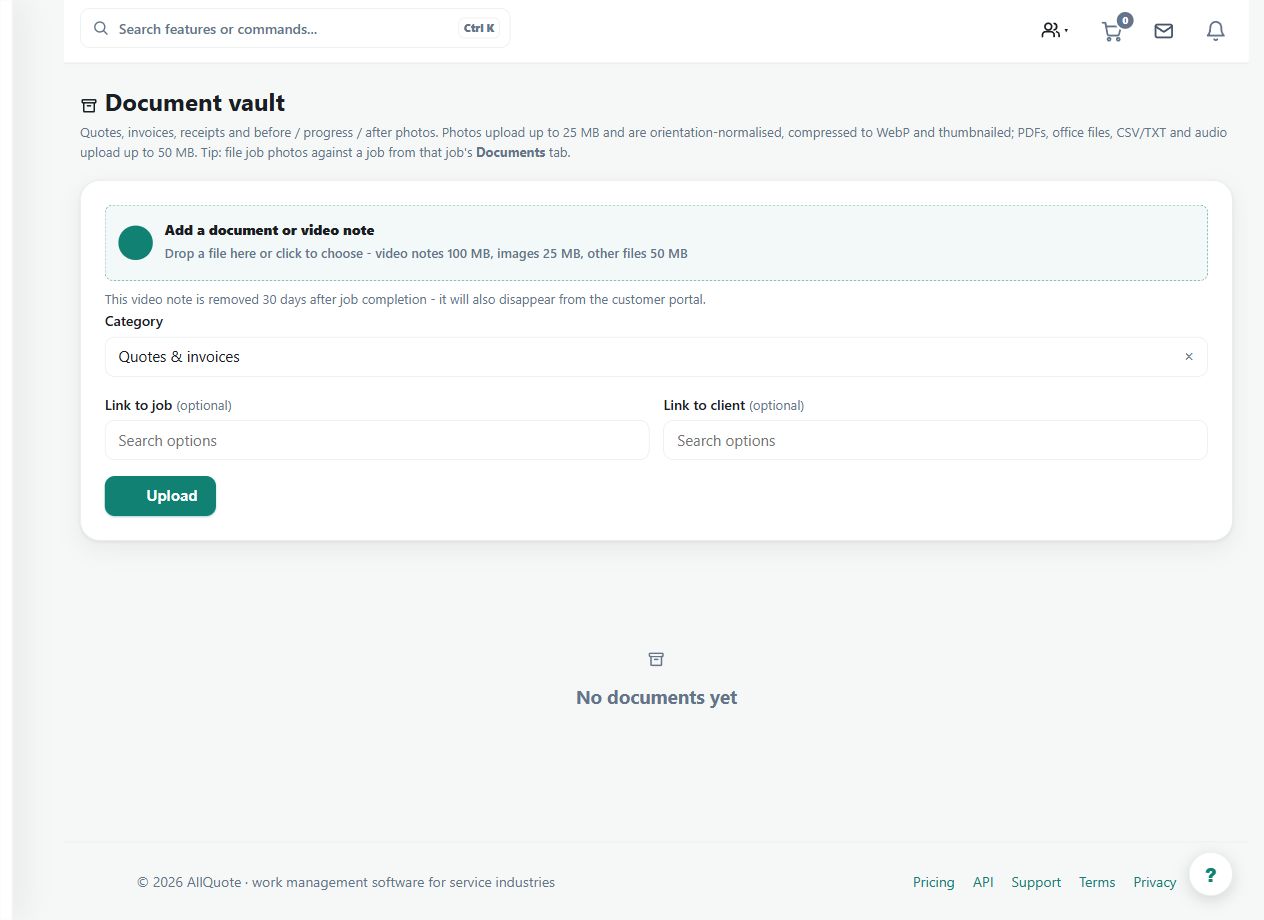
- Open the vault at /documents.
- Upload or find documents by job, customer or category.
- Open a document for its preview and linked records.
- Watch storage usage; additional 100 GB blocks can be added on paid plans.
Worked example
Upload a job's plan and supporting photos, then retrieve them by the linked job or customer and inspect the preview.
This is an illustrative scenario. Use your own approved scope, quantities, rates and business rules.
Check the result
Check the file, revision and linked record before relying on it during estimating or field work.
Limits and troubleshooting
The Free plan has no vault. Paid plans include 100 GB, with additional storage blocks available; file storage does not itself validate document revision, ownership or construction suitability.
Check current plans and feature availability · Browse every guide