Opt-in live location
Shows crew location only when the worker has opted in, is available, within sharing hours, not on leave, and not paused for the org.
Use location sharing as an opt-in dispatch aid with explicit availability and sharing limits.
Before you start
Availability: Team plan and above. Enabled business features, role permissions, connected providers and supported devices may add requirements.
Documented roles: Owner, Office, Team. A role name alone does not override the permissions set by your business.
Where to find it: team > Crew map > Location privacy.
Workers need to opt in and satisfy the sharing-hours, availability, leave and organisation-pause conditions. Check device permissions when troubleshooting.
Using this guide in New Zealand
- Set your business country in Business settings before entering customer addresses or preparing documents. The country selected on the public website does not change an existing business.
- Check the business currency (NZD), time zone and document tax settings. Only enable tax collection if your business is registered and the settings match your requirements. Your customer invoice tax settings are separate from tax on your AllQuote subscription.
- Screenshots use demonstration records. Their sample currency, addresses and tax amounts do not override your business settings.
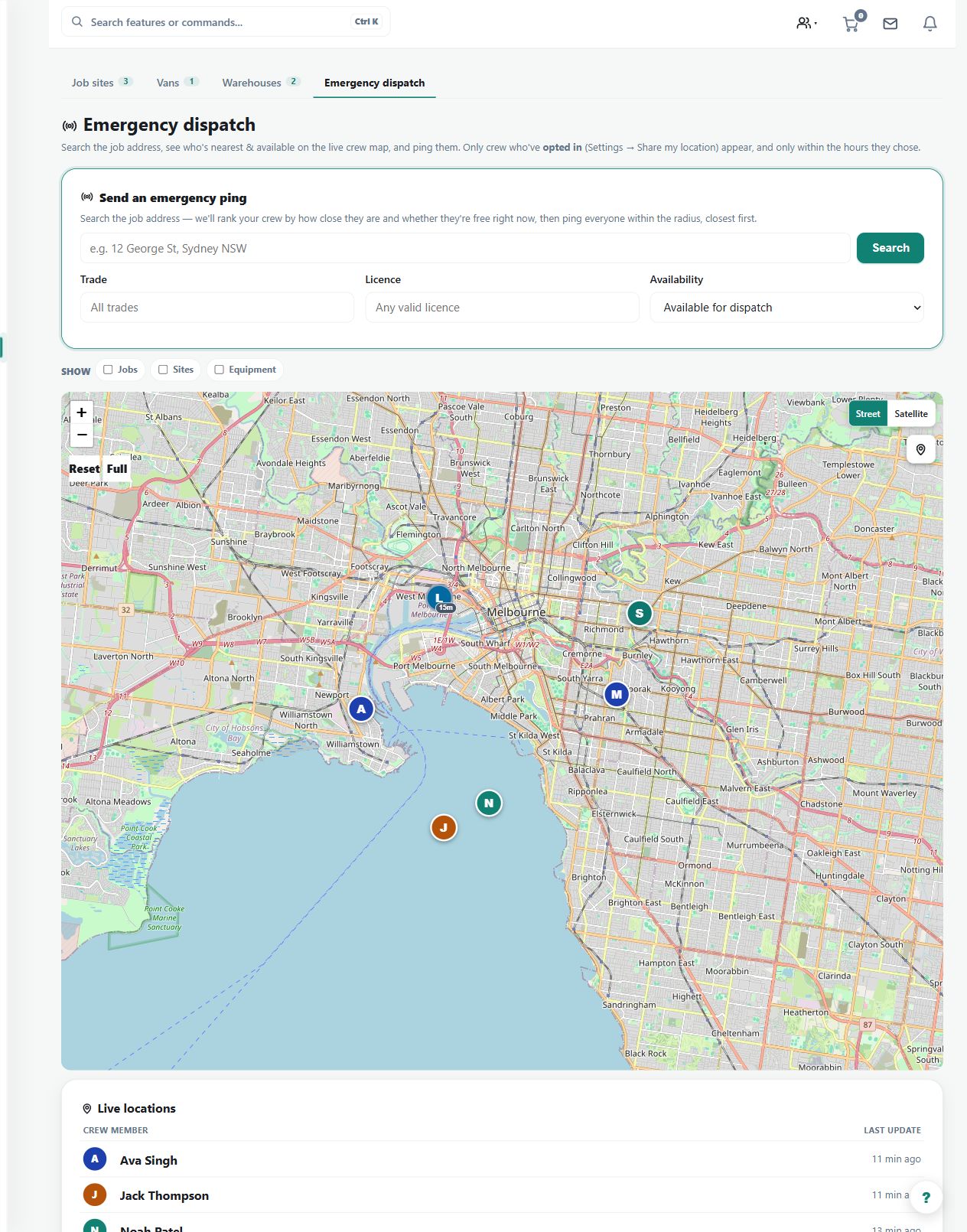
Step by step
- Crew enable location sharing in their worker app and keep availability current.
- The business only sees a live pin while the worker is opted in, available, inside sharing hours, not on leave, and sharing is not paused.
- Managers open Crew locations at /team/locations to view fresh pins, stale pins, distance, accuracy, and time at the current spot.
- If a pin is missing, check opt-in, availability, leave, sharing hours, and org pause before treating it as a dispatch issue.
Worked example
If an expected crew pin is absent, review opt-in, sharing hours, leave and pause settings before treating the problem as a missing dispatch record.
This is an illustrative scenario. Use your own approved scope, quantities, rates and business rules.
Check the result
Inspect last-seen time and accuracy for visible pins. Confirm a pin is current enough for the decision being made.
Limits and troubleshooting
AllQuote does not promise continuous tracking of every worker. A missing pin can be an intentional privacy condition, and stale data is not proof of present location.
Check current plans and feature availability · Browse every guide