Equipment allocation
Tracks company-owned gear such as vans, trailers, machines, and tools so they can be allocated to jobs.
Use the equipment register and planner to allocate company-owned vans, machines, tools or hire gear to jobs.
Before you start
Availability: Team plan and above. Enabled business features, role permissions, connected providers and supported devices may add requirements.
Documented roles: Owner, Office. A role name alone does not override the permissions set by your business.
Where to find it: Work > Equipment > Allocation.
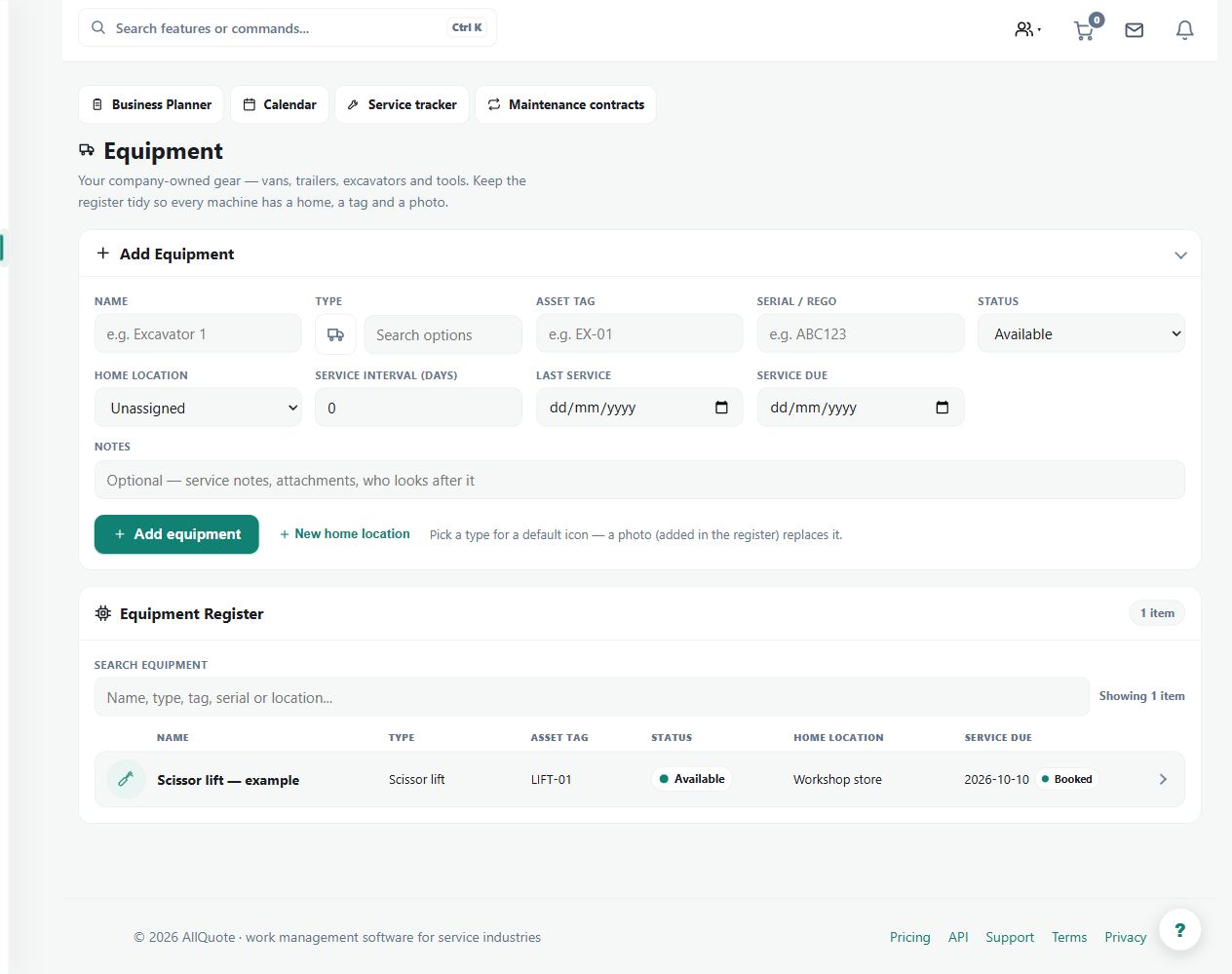
Create identifiable equipment records with home location and availability. Review relevant service and prestart requirements.
Step by step
- Open Equipment at /equipment.
- Add each company-owned asset such as vans, trailers, machines, tools, or hire gear.
- Set the equipment's home location and availability details.
- Open Business Planner at /dispatch and allocate available equipment to the jobs that need it.
Worked example
Allocate a machine and trailer to a scheduled job through Business Planner, then check availability before assigning the same equipment elsewhere.
This is an illustrative scenario. Use your own approved scope, quantities, rates and business rules.
Check the result
Inspect the job's equipment assignment and the item's current location and readiness information.
Limits and troubleshooting
An allocation is a planning record, not evidence that the equipment has arrived, passed inspection or completed its required service.
Check current plans and feature availability · Browse every guide