Accounting and payment connections
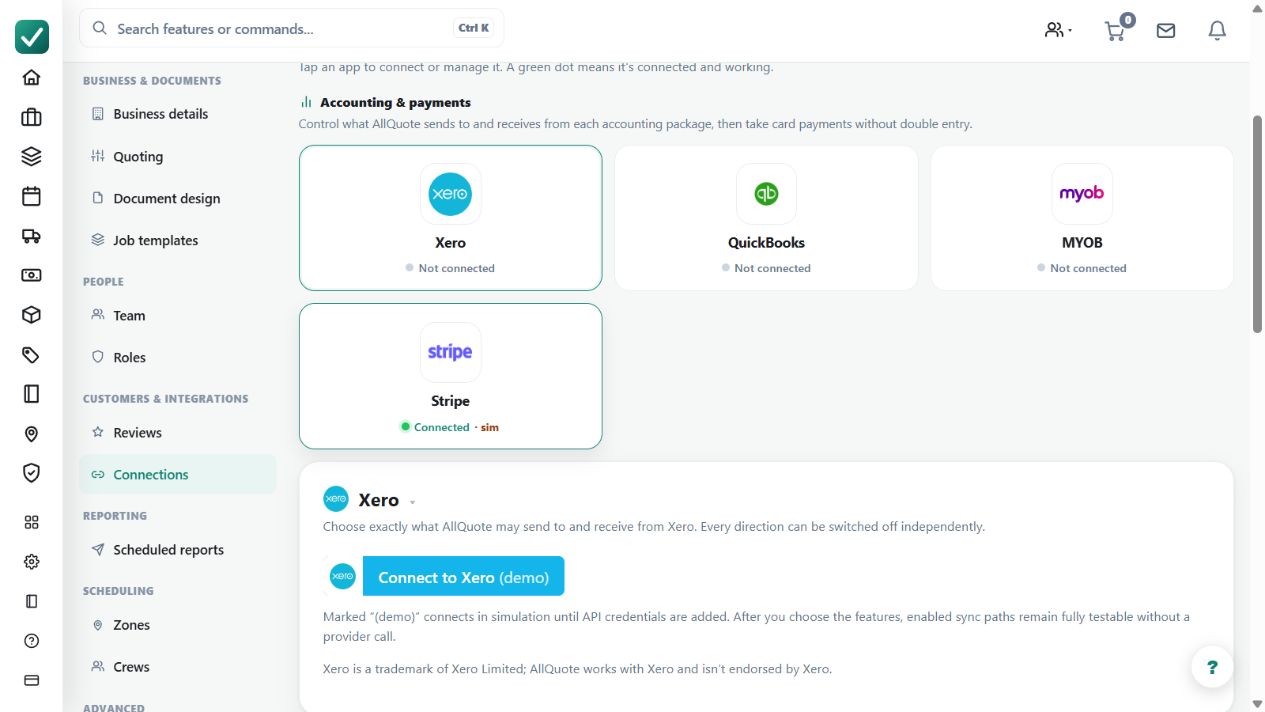
Uses per-feature sync selectors when connecting Xero, QuickBooks or MYOB, with the same choices available later in settings.
Use connection selectors to decide which supported records sync to Xero, QuickBooks or MYOB.
Before you start
Availability: Team plan and above. Enabled business features, role permissions, connected providers and supported devices may add requirements.
Documented roles: Owner, Office. A role name alone does not override the permissions set by your business.
Where to find it: Settings > Business Settings > Connections > Accounting and payments.
Connect the intended organisation and review each feature selector and invoice-sync mode. Keep payroll compatibility separate from general accounting connectivity.
Step by step
- Open Business settings > Connections at /group-settings?tab=connections.
- Connect Xero, QuickBooks or MYOB, choose the organisation, then select the features that provider should sync.
- Return to Connections whenever you need to change those selections. The selector registry is consistent across all three providers; payroll compatibility is configured separately.
- When invoice sync is selected and its mode is Automatic, issued or finalised invoices auto-push; drafts do not. Manual mode queues ready invoices instead.
Worked example
Enable invoice sync for the intended provider. In Automatic mode, review the result for an issued or finalised invoice; in Manual mode, inspect the ready queue and act deliberately.
This is an illustrative scenario. Use your own approved scope, quantities, rates and business rules.
Check the result
Check the destination organisation, selected features and provider result. Compare the resulting record with the AllQuote source.
Limits and troubleshooting
Draft invoices do not auto-push. General accounting support does not imply identical payroll functionality across providers or automatic settlement of customer payments.
Follow the screenshot tutorial: Take a payment
Check current plans and feature availability · Browse every guide