To-do dependencies
Links tasks so one task depends on another; completing a task before its parent is done warns by default, and can be set to block or to show the link only.
Use dependencies to record the order in which job tasks should be completed.
Before you start
Availability: Free plan and above. Enabled business features, role permissions, connected providers and supported devices may add requirements.
Where to find it: Jobs > Job > Task dependencies.
Identify the prerequisite task and choose the business's enforcement mode: Warn, Hard or Disabled.
Step by step
- Open the job and its tasks.
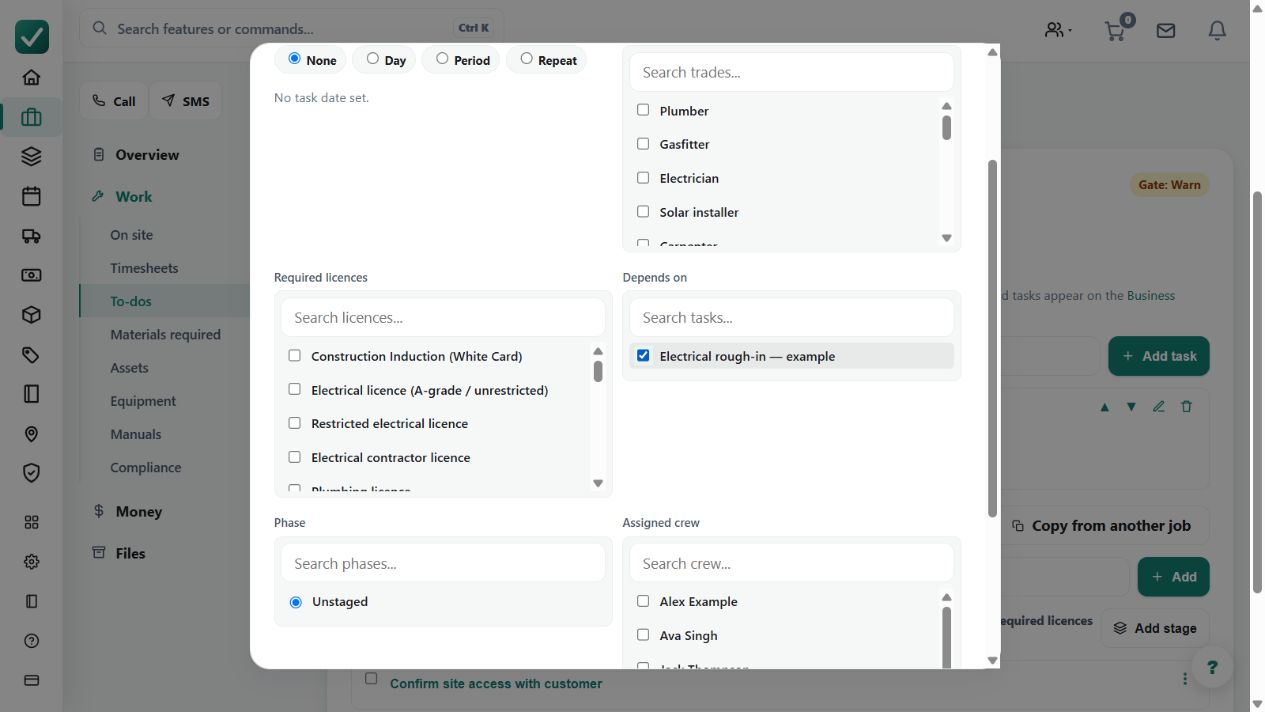
- Link the dependent task to its parent task.
- Choose the enforcement in Business settings > Features: Warn, Hard or Disabled.
- Complete tasks in dependency order, or record an override where Warn allows it.
Worked example
Link commissioning to completion of the installation task. Attempting the dependent completion should follow the configured warning or blocking behavior.
This is an illustrative scenario. Use your own approved scope, quantities, rates and business rules.
Check the result
Check the parent link, task states and any recorded override before treating the dependent work as ready.
Limits and troubleshooting
Warn permits an override; Disabled shows the relationship without enforcing it. A dependency link is not automatic proof of real-world readiness or completion.
Check current plans and feature availability · Browse every guide