Team and customer messaging
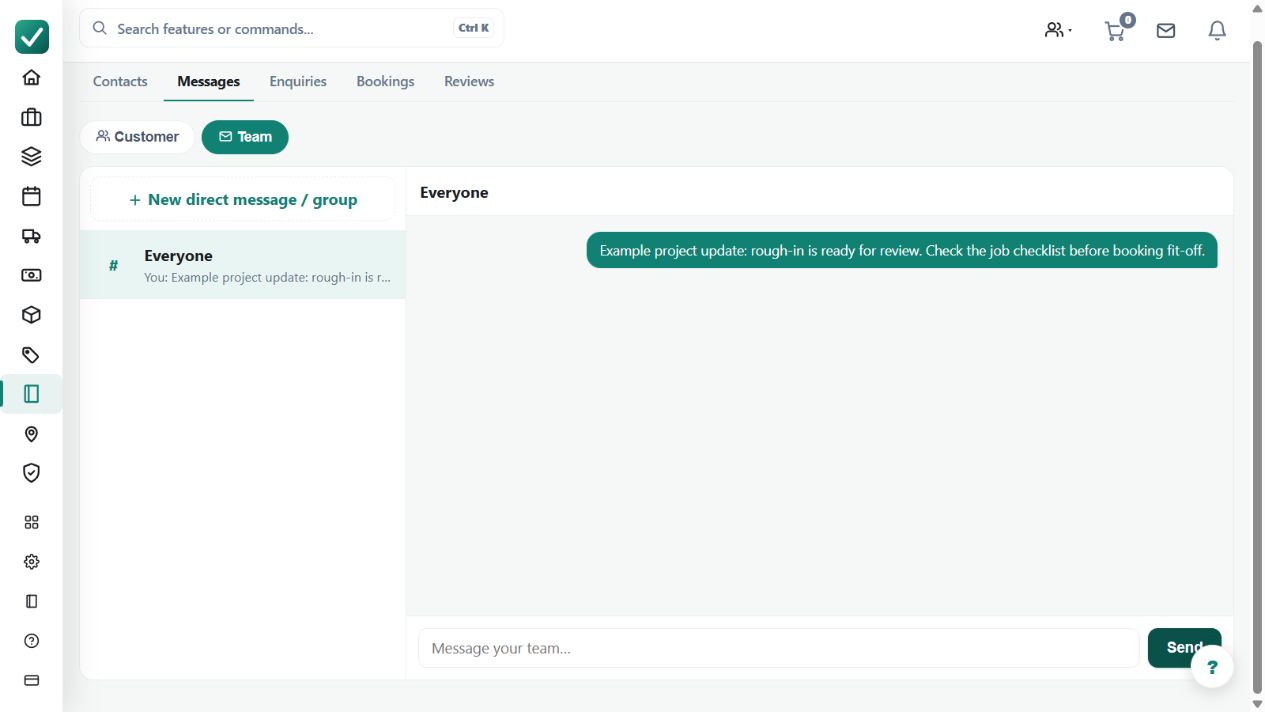
Keeps job-related messages with the work record so office staff and field users can discuss the job without losing context.
Use linked conversations to retain job or customer context when office and field staff exchange information.
Before you start
Availability: Crew plan and above. Enabled business features, role permissions, connected providers and supported devices may add requirements.
Where to find it: Chats > Job conversation.
Choose the intended conversation and check its participants before sharing work details or attachments.
Step by step
- Open Chats at /chats.
- Choose the job or customer conversation.
- Message the team or the customer from the same thread the work lives on.
- Return to the job for the full record - the conversation stays linked.
Worked example
Discuss a job's access arrangements in the relevant thread, then return to the linked work record when reviewing the plan for the visit.
This is an illustrative scenario. Use your own approved scope, quantities, rates and business rules.
Check the result
Check that important decisions are understandable in context and that the message went to the intended audience.
Limits and troubleshooting
A chat message is not automatically an approved variation, invoice instruction or completed task. Record formal operational changes through their appropriate workflow.
Check current plans and feature availability · Browse every guide